
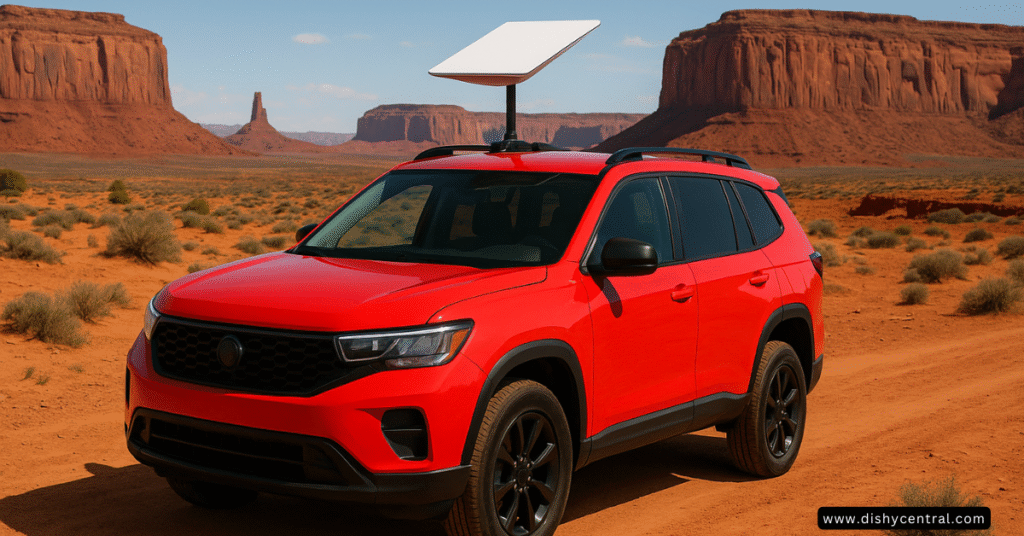
Picture this: you’re driving through the breathtaking landscapes of Utah’s national parks, your laptop open on the passenger seat, seamlessly attending a video conference call while your family streams their favorite content in the back. This isn’t science fiction—it’s the reality that Starlink for cars makes possible today.
As traditional cellular networks fade into dead zones, staying connected on the road has become the Holy Grail for digital nomads, remote workers, and adventure-seekers alike. SpaceX’s revolutionary satellite internet constellation promises to solve this connectivity puzzle, but navigating the hardware options, service plans, and installation requirements can feel overwhelming.
This comprehensive guide cuts through the complexity to give you everything you need to know about bringing high-speed satellite internet to your vehicle—whether you’re driving a compact car, spacious SUV, or adventure-ready van.
Key Takeaways
- Starlink Mini offers the most portable and affordable entry point for car connectivity
- In-motion use requires specific hardware and premium plans but delivers true mobile internet
- Total costs range from $600-$3,000+ depending on your setup and usage needs
- Installation can be as simple as a magnetic mount or complex as a permanent roof installation
What is Starlink? Understanding Satellite Internet for Vehicles
Starlink represents a fundamental shift in how we think about internet connectivity. Unlike traditional satellite internet that relies on geostationary satellites 22,000 miles above Earth, Starlink uses a constellation of Low Earth Orbit (LEO) satellites positioned just 340 miles up.
This proximity delivers two game-changing advantages: dramatically lower latency (20-40ms vs 600ms+ for traditional satellite) and genuine portability. Your Starlink dish can literally pack up and move with you, maintaining high-speed connectivity wherever you roam.
For car owners, this means transforming any parking spot into a mobile office with download speeds ranging from 25-220 Mbps—often faster than many home broadband connections.
The Critical Distinction: SpaceX Starlink vs. Subaru STARLINK
Before diving deeper, let’s clear up a common source of confusion. This guide focuses exclusively on SpaceX’s Starlink satellite internet service—the revolutionary connectivity solution that works anywhere with a clear view of the sky.
Subaru’s STARLINK® in-vehicle technology is an entirely different system. Subaru’s platform provides connected services like remote start, stolen vehicle recovery, and safety features through traditional cellular networks. While Subaru vehicles offer excellent built-in connectivity features, they don’t provide the satellite-based internet we’re discussing here.
Think of it this way: Subaru STARLINK helps your car talk to you and emergency services, while SpaceX Starlink helps you talk to the entire internet from anywhere on Earth.
Why Put Starlink in Your Car? The Game-Changing Use Cases
The Digital Nomad Revolution
Remote work has exploded beyond traditional boundaries, with over 35% of the workforce now having remote options. Starlink for cars unlocks true location independence, letting you maintain productivity whether you’re parked at a secluded beach in Oregon or camping in Colorado’s Rocky Mountains.
Real-world example: Sarah, a software developer, conducts daily standup meetings from her SUV while overlanding through the Southwest. Her Starlink Mini provides the reliable connectivity that traditional hotspots simply can’t match in remote areas.
Adventure Without Compromise
Overlanding and camping enthusiasts no longer need to choose between digital connectivity and pristine wilderness. Modern adventurers want both—the ability to share epic sunset photos on social media and handle urgent work emails from base camp.
Family Road Trip Game-Changer
Long drives become entertainment havens when passengers can stream and share their favorite content online without burning through expensive cellular data. Parents report dramatically happier kids and more peaceful journeys with reliable wi-fi connectivity throughout the trip.
Emergency Preparedness and Safety
When natural disasters knock out cellular towers, satellite internet becomes a literal lifeline. Hurricane Katrina, California wildfires, and Texas winter storms have all demonstrated how quickly terrestrial networks can fail. Having satellite connectivity provides an extra safety net when you need it most.
Choosing Your Starlink Hardware: The Complete Breakdown
Your hardware choice fundamentally shapes your entire Starlink experience. Here’s what you need to know about each option:
Starlink Mini: The Portable Game-Changer
The Starlink Mini revolutionizes mobile connectivity with its compact design and integrated wi-fi hotspot functionality. Measuring just 11.75″ x 10.2″ x 1.45″ and weighing only 2.43 lbs, it’s engineered for durability while remaining highly portable.
Best for: Weekend warriors, occasional remote workers, and anyone prioritizing portability over maximum performance.
Key advantages:
- Lowest power consumption (20-40 watts)
- Built-in wi-fi eliminates need for separate router
- Easy magnetic or tripod mounting options
- Most affordable hardware cost ($599)
Limitations:
- Slightly lower speeds than larger dishes
- Reduced performance in extreme weather conditions
Starlink Standard (Gen 3): The Residential Workhorse
The Standard dish offers the best balance of performance and value for stationary use. While bulkier than the Mini, it delivers consistently higher speeds and better weather resistance.
Best for: Full-time RV living, base camp operations, and users who prioritize performance over portability.
Key advantages:
- Superior weather performance
- Higher average speeds (50-200 Mbps)
- More stable connection in challenging conditions
- Proven reliability across millions of installations
Limitations:
- Larger size requires more storage space
- No in-motion capability
- Requires separate router for optimal wi-fi coverage
Flat High-Performance: The In-Motion Champion
For users demanding connectivity while driving, the Flat High-Performance dish represents the pinnacle of mobile satellite internet. Its aerodynamic profile and advanced beam-steering technology maintain connections at highway speeds.
Best for: Professional drivers, delivery services, and anyone requiring guaranteed connectivity during transit.
Key advantages:
- True in-motion capability up to 65+ mph
- Priority network access
- Professional-grade weather resistance
- Optimized for permanent vehicle mounting
Limitations:
- Highest hardware cost ($2,500)
- Requires premium Mobile Priority service plan
- Professional installation recommended
At-a-Glance Hardware Comparison
🚗 Starlink Mini
🏠 Standard
⚡ Flat High-Performance
Service Plans: Navigating Starlink’s Mobile Options
Starlink Roam: Mobile Freedom with Flexibility
The Roam plan delivers the core mobile experience most users need. At $150/month, it provides unlimited data usage across your home continent with the crucial ability to pause service monthly—perfect for seasonal travelers.
Key benefits:
- Use anywhere within your continent
- Monthly pause option saves money during inactive periods
- No long-term contracts or commitments
- Compatible with all hardware types
Important limitation: Roam service is designed for stationary use only. While some users report success at low speeds, official in-motion support requires upgrading to Mobile Priority.
Mobile Priority: Premium Performance for Serious Users
At $250/month, Mobile Priority unlocks Starlink’s full potential for mobile users. This premium plan provides network prioritization, guaranteed in-motion support, and the fastest possible speeds.
When to choose Mobile Priority:
- You need internet while actively driving
- Your work demands the highest reliability
- You’re willing to pay premium prices for premium performance
- You’re using the Flat High-Performance dish
Service Plan Comparison
The Critical Decision: In-Motion vs. Stationary Use
This choice fundamentally impacts both your costs and capabilities. Let’s break down both approaches:
Stationary Use: Maximum Value, Minimal Complexity
How it works: You set up your Starlink dish only when parked, packing it away before driving to your next destination.
Real-world scenario: Mark, a freelance photographer, uses his Starlink Mini at scenic overlooks throughout the Pacific Northwest. He uploads client galleries during lunch breaks and evening camp setups, then packs the dish away for driving.
Advantages:
- Significantly lower costs (Roam plan vs. Mobile Priority)
- Compatible with any Starlink hardware
- Simple setup and takedown process
- Excellent performance when deployed
Drawbacks:
- No internet connectivity while driving
- Setup required at each stop
- Weather-dependent deployment
In-Motion Use: The Ultimate Mobile Office
What you need: Either a Starlink Mini or Flat High-Performance dish paired with the Mobile Priority service plan.
Performance expectations: Users report consistent speeds of 50-150 Mbps at highway speeds, with occasional drops in heavily forested areas or during severe weather. Latency remains excellent for video calls and real-time applications.
Legal and warranty considerations: In-motion use requires specific hardware configurations to maintain your warranty. Always verify that your setup meets official requirements, and check local regulations regarding internet use while driving.
The technology works reliably, but remember that the driver should focus on driving—let passengers handle the connectivity while you’re behind the wheel.
| Related: Starlink Roam Review 2025: 8 Months Real User Experience
Installation and Mounting: From Simple to Sophisticated
Temporary and Stationary Solutions
For users choosing a stationary operation, setup can be remarkably simple:
Kickstand deployment: Every Starlink dish includes a built-in kickstand for quick setup on flat surfaces. This works perfectly for parking lot office sessions or campground connectivity.
Tripod mounting: A basic camera tripod transforms your dish into a portable communication station. Look for tripods rated for your dish’s weight, and consider models with adjustable height for optimal sky view.
Creative solutions: Some users successfully deploy their Starlink Mini through panoramic sunroofs, though this limits vehicle usage and isn’t recommended for extended periods.
Semi-Permanent and In-Motion Mounting
Roof rack systems: The most versatile approach for serious mobile users. Quality roof racks provide secure mounting points while maintaining easy removal for security or storage. Popular options include Thule, Yakima, and Rhino-Rack systems.
Magnetic mounts: Heavy-duty magnetic mounts offer surprising strength for temporary installations. Look for magnets rated for highway speeds and your dish’s weight. Always use safety cables as backup retention.
Professional installation: For Flat High-Performance dishes, professional installation ensures optimal performance and maintains warranty coverage. Certified installers understand proper cable routing, grounding requirements, and aerodynamic considerations.
DIY and Custom Solutions
The Starlink community has developed ingenious mounting solutions:
- Hitch-mounted articulating arms for easy deployment
- Custom roof boxes with integrated mounting
- Swing-out spare tire mounts for off-road vehicles
- Tailgate-mounted systems for pickup trucks
When pursuing custom solutions, prioritize safety, security, and sky visibility. Poorly designed mounts can damage your vehicle or create dangerous road hazards.
Powering Your Connection: The Complete Power Guide
Understanding power requirements prevents frustrating connectivity failures and helps you choose the right supporting equipment.
Power Draw by Hardware Type
Starlink Mini: 20-40 watts during operation, with brief startup spikes to 60 watts. This efficient power profile makes it ideal for smaller vehicles and battery-powered operations.
Standard dish: 50-75 watts continuous operation, with startup demands reaching 100+ watts. Plan your power system accordingly, especially for extended use.
Flat High-Performance: 110-150 watts during operation, requiring robust power systems. Professional installations often include dedicated alternator upgrades.
In-Car Power Solutions
12V adapters and inverters: The most direct approach connects your Starlink directly to your vehicle’s power system. Always choose pure sine wave inverters to prevent equipment damage—modified sine wave inverters can cause premature failure of sensitive electronics.
Pro tip: Install a dedicated circuit with proper fusing rather than using cigarette lighter adapters for permanent installations. This prevents voltage drops and eliminates fire hazards.
DC power conversion: Some users install DC-to-DC converters to eliminate inverter inefficiencies. While more complex, this approach maximizes battery life and reduces heat generation.
Portable Power Stations: Freedom from the Engine
Modern lithium power stations transform mobile connectivity by eliminating engine dependence. Popular models from EcoFlow, Bluetti, and Goal Zero provide clean, quiet power for extended operations.
Sizing your power station: Calculate your daily power consumption and add 25% margin for efficiency losses. A weekend of moderate Starlink use requires roughly 500-1000 watt-hours of capacity.
Solar integration: Pairing your power station with solar panels creates truly sustainable connectivity. A 100-200 watt solar panel can significantly extend your off-grid capabilities during sunny conditions.
Power System Examples
Weekend warrior setup: EcoFlow River 2 Pro (768Wh) + 100W solar panel + Starlink Mini = 2-3 days of off-grid connectivity
Extended adventure setup: Bluetti AC200MAX (2048Wh) + 400W solar array + Standard dish = Week-long off-grid capability
The Real Cost: Complete Financial Breakdown
Understanding the total cost of ownership helps you make informed decisions and avoid budget surprises.
Upfront Hardware Investment
Entry-level setup (Starlink Mini):
- Dish and accessories: $599
- Basic magnetic mount: $50-150
- 12V adapter: $25-50
- Total: $674-799
Mid-range setup (Standard dish):
- Dish and accessories: $599
- Roof rack and mount: $200-500
- Pure sine wave inverter: $100-200
- Total: $899-1,299
Premium setup (Flat High-Performance):
- Dish and accessories: $2,500
- Professional installation: $500-1,500
- Power system upgrades: $300-800
- Total: $3,300-4,800
Monthly Service Costs
Roam plan: $150/month with pause capability saves money for seasonal users. Six months of active use costs $900 vs. $1,800 for year-round service.
Mobile Priority: $250/month with no pause option. Budget $3,000 annually for premium mobile connectivity.
Hidden Costs and Considerations
Smart buyers budget for these additional expenses:
- Mounting hardware: $50-500 depending on complexity
- Power solutions: $100-2,000 for inverters, power stations, and solar
- Accessories: Cables, weatherproofing, and backup equipment ($100-300)
- Installation labor: $200-1,500 for professional mounting and integration
Total Cost Scenarios
The weekend warrior:
- Starlink Mini + Roam plan (6 months active)
- Magnetic mount + basic power
- Year 1: $1,574 | Ongoing: $900/year
The full-time nomad:
- Standard dish + Roam plan + power station
- Roof rack mount + solar charging
- Year 1: $3,699 | Ongoing: $1,800/year
The in-motion professional:
- Flat HP dish + Mobile Priority + professional install
- Integrated power system + premium mounting
- Year 1: $7,800 | Ongoing: $3,000/year
Performance Expectations: Real-World Results
Speed and Latency Performance
Stationary performance: Users consistently report 50-200 Mbps download speeds with 20-40ms latency when properly positioned. Upload speeds typically range from 10-20 Mbps—sufficient for video calls and cloud uploads.
In-motion performance: Highway speeds deliver 25-100 Mbps downloads with slightly higher latency (40-60ms). Dense forests, urban canyons, and severe weather can temporarily reduce performance.
Coverage and Reliability
Starlink’s coverage continues expanding rapidly, now serving most of North America, Europe, and growing portions of South America, Asia, and Oceania. Real-time coverage maps at starlink.com show current service availability.
Rural excellence: Starlink truly shines in areas where cellular coverage fails completely. Users report excellent performance in locations where traditional internet options don’t exist.
Weather considerations: Heavy rain, snow, and ice can temporarily impact performance. The system includes built-in heaters to melt snow and ice, maintaining connectivity in extreme weather conditions.
Starlink vs. Alternative Solutions
When Mobile Hotspots Make More Sense
Before investing in Starlink, honestly assess your connectivity needs:
Choose cellular hotspots when:
- You primarily travel along major highways with good cellular coverage
- Your data needs are modest (under 50GB monthly)
- Budget constraints make Starlink prohibitive
- You need connectivity in urban areas where cellular excels
Advantages of cellular:
- Lower upfront costs
- No hardware setup required
- Excellent urban and highway performance
- Multiple carrier options for coverage optimization
When Starlink Becomes Essential
Choose Starlink when:
- Your adventures regularly take you beyond cellular coverage
- You need unlimited data for work or entertainment
- Reliability and speed matter more than cost
- You want future-proof technology
The sweet spot for Starlink adoption is users who spend significant time in remote areas where cellular coverage is unreliable or nonexistent.
Future Outlook: What’s Coming Next
Technology Evolution
Starlink continues rapid innovation with regular improvements:
- Smaller, more efficient dishes reducing power consumption and vehicle integration complexity
- Expanded in-motion capabilities including potential aviation and maritime adaptations
- Lower latency as the satellite constellation grows and ground infrastructure expands
Competitive Landscape
Amazon’s Project Kuiper promises increased competition in the satellite internet space, potentially driving down costs and spurring innovation. Traditional cellular providers are also expanding 5G coverage to compete in remote areas.
Market Predictions
Industry analysts predict satellite internet adoption will accelerate dramatically over the next five years, driven by remote work normalization and the “van life” movement’s continued growth. Expect more integrated solutions from vehicle manufacturers and aftermarket specialists.
Making Your Decision: Tailored Recommendations
For Weekend Warriors and Occasional Users
Recommended setup: Starlink Mini + Roam plan + magnetic mount
- Why it works: Low cost, maximum flexibility, pause capability saves money
- Budget: Under $800 initial investment, $150/month when active
For Digital Nomads and Remote Workers
Recommended setup: Standard dish + Roam plan + portable power station
- Why it works: Reliable performance, reasonable costs, excellent flexibility
- Budget: $1,300-1,800 initial investment, $150/month ongoing
For Professional Drivers and In-Motion Users
Recommended setup: Flat HP dish + Mobile Priority + professional installation
- Why it works: True mobile connectivity, priority network access, professional reliability
- Budget: $3,300+ initial investment, $250/month ongoing
For Emergency Preparedness
Recommended setup: Starlink Mini + Roam plan + solar charging
- Why it works: Compact storage, reliable emergency communications, self-sufficient power
- Budget: $1,000-1,200 initial investment, pause service until needed
Final Verdict: Is Starlink Worth It for Your Car?
The answer depends entirely on your specific needs, travel patterns, and budget. Starlink for cars represents a genuine breakthrough in mobile connectivity, but it’s not the right solution for everyone.
Starlink makes sense if:
- You regularly venture beyond reliable cellular coverage
- Your work or lifestyle demands consistent internet access
- You value the freedom to work or stay connected anywhere
- You can justify the ongoing monthly investment
Consider alternatives if:
- You primarily travel in areas with good cellular coverage
- Your connectivity needs are modest or intermittent
- Budget constraints make the investment challenging
- You prefer the simplicity of cellular solutions
The technology works exceptionally well and continues improving rapidly. For users who need reliable connectivity in remote areas, Starlink represents a game-changing capability that was simply impossible just a few years ago.
Whether you’re conducting business calls from Glacier National Park, streaming movies during family road trips, or maintaining emergency communications during natural disasters, Starlink for cars offers unprecedented mobile connectivity freedom. The question isn’t whether the technology works—it’s whether the benefits justify the investment for your specific situation.
As coverage expands and costs gradually decrease, satellite internet will become increasingly attractive for mobile users. The future of staying connected on the road has never looked brighter.
Ready to get started with Starlink for your vehicle? Visit starlink.com to check coverage in your area and explore current hardware and service options. For technical questions about installation and vehicle integration, consult with authorized installers who can ensure optimal performance and maintain your warranty coverage.

