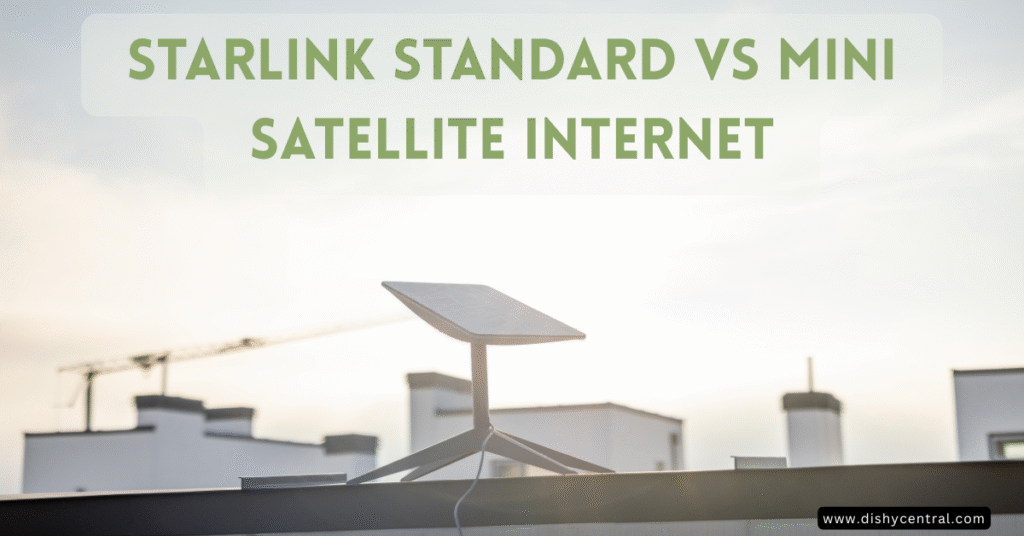
When you’re choosing between satellite internet options, the decision between Starlink Standard vs Mini can feel overwhelming. Both offer impressive connectivity beyond traditional internet services, but they’re designed for completely different use cases. Whether you’re setting up home internet or need portable connectivity for your RV adventures, understanding these differences will help you make the right choice.
Key Takeaways
- Starlink Mini excels in portability with lower power consumption (20-40 watts vs 75-100 watts)
- Standard delivers superior performance with higher download speeds and better weather resilience
- The Mini’s price varies by location and offer, and it works with flexible Roam plans that you can pause (Standby Mode has a small monthly fee)
- The Standard’s price varies by location and offer, and it works best with Residential plans for fixed locations
Complete Head-to-Head Comparison
| Features | Starlink Standard (Gen 3) | Starlink Mini |
|---|---|---|
| 💰 Hardware Cost | Varies by offer | Varies by offer |
| 📏 Dish Size |
23.4″ × 15.07″ |
11.75″ × 10.2″ |
| ⚖️ Weight | ~7 lbs (dish only) |
~2.5 lbs Size of a laptop |
| ⚡ Power Consumption |
75-100 watts |
20-40 watts |
| 🚀 Max Download Speed |
Up to 400 Mbps |
Up to 150 Mbps |
| 📶 Wi-Fi Technology |
Wi-Fi 6 Latest standard |
Wi-Fi 5 Integrated |
| 🔌 Power Source |
AC power only Requires wall outlet |
DC/AC flexible USB-C, 12V, wall |
| 🌡️ Weather Resilience |
Superior Melts 1.5″ snow/hour |
Good IP67 rated |
| 📡 Router Setup |
Separate Gen 3 router Flexible placement |
Integrated All-in-one design |
| 🎯 Primary Use Case |
Home Internet
Business
Fixed Location
|
RV Travel
Portable
Off-Grid
|
| 📋 Service Plans |
Residential Plan Fixed location |
Roam Plans Pause/unpause flexibility |
| 🏆 Best For |
Maximum performance Fixed installations Harsh weather areas |
Travel & mobility Low power setups Flexible usage |
Starlink Standard vs Mini: Understanding the Core Differences
The difference between the Starlink Standard and Mini goes far beyond just size. These satellite internet systems represent two distinct approaches to connectivity, each optimized for specific user needs and scenarios.
The Starlink Standard (Gen 3) serves as the powerhouse option, designed primarily for residential and stationary business use. With its 23.4″ x 15.07″ dish weighing approximately 7 pounds, it’s built to deliver maximum performance from a fixed location. The standard kit includes a separate Gen 3 router and requires AC power to operate effectively.
In contrast, the Starlink Mini prioritizes portability above all else. At just 11.75″ x 10.2″ and weighing only 2.5 pounds, it’s roughly the size of a laptop and integrates everything into a single unit. The mini comes with a built-in router and can run on DC power, making it perfect for mobile applications.
Hardware Specifications at a Glance
When comparing specs between these two satellite internet options, several key differences emerge:
Size and Weight: The mini dish is literally half the size and weight of the standard actuated dish, making it significantly more portable for travel scenarios.
Power Requirements: Power consumption represents one of the most significant differences. The Standard dish consumes 75-100 watts on average, while the Starlink Mini operates on just 20-40 watts. This lower power consumption makes the mini ideal for battery-powered setups and off-grid use.
Router Integration: The standard has a separate Gen 3 router that provides Wi-Fi 6 technology, while the mini also integrates Wi-Fi 5 directly into the dish itself.
Performance Comparison: Speed, Latency, and Reliability
Download Speed and Network Performance
In optimal conditions, the Standard dish consistently delivers higher download speeds. Commonly cited figures suggest the standard can achieve up to 400 Mbps download speeds, while the mini typically reaches around 150 Mbps. However, both systems provide more than adequate internet access for most users’ needs.
The Standard’s larger dish and higher power allow it to maintain stronger satellite connections, resulting in more consistent performance. Video calls, streaming, and other bandwidth-intensive activities perform exceptionally well on both systems, though the Standard has a slight edge during peak usage times.
Latency Performance: Both dishes typically maintain latency under 40 ms, making them suitable for real-time applications. The difference in latency between the two systems is minimal in most use cases.
Weather Resilience and Signal Strength
The Standard dish’s larger surface area and higher wattage provide superior performance during adverse weather conditions. It can melt snow at rates up to 1.5 inches per hour, ensuring consistent connectivity even in harsh winter conditions.
While the Starlink Mini maintains the same IP67 weather rating as the Standard, its lower power output can result in reduced performance during heavy rain or snow. However, many users report surprisingly good performance from the mini even in challenging weather conditions.
For areas with frequent severe weather, the Standard’s robust design offers more reliable year-round connectivity.

Portability and Mobile Use Cases
RV and Travel Applications
The mini dish truly shines for RV enthusiasts and digital nomads. Its compact design allows it to fit easily in storage compartments, and the integrated router eliminates the need for additional equipment. The ability to power the mini from a 12V outlet or USB-C power source makes it incredibly convenient for mobile setups.
Many RV users appreciate the mini’s ability to work with roam plans, which can be paused when not traveling. This flexibility makes it cost-effective for seasonal travelers who don’t need year-round connectivity.
Off-Grid and Remote Connectivity
The mini’s low power consumption makes it ideal for off-grid applications where power is limited. Solar panel setups and portable power stations can easily support the mini’s 20-40 watt requirement, while the Standard’s higher power needs require more robust power systems.
For remote work scenarios where you need reliable internet access but have limited power sources, the mini provides an excellent balance of performance and efficiency.
| Related: Starlink Mini Review 2025: Real User Experience & Tests
Power Systems and Energy Efficiency
AC vs DC Power Options
The Standard dish requires AC power and comes with a power supply designed for wall outlets. For portable use, you’ll need an inverter to convert DC battery power to AC, which introduces additional power loss and complexity.
The Starlink Mini offers much more flexibility with its power input options. It can run directly from DC power sources, including car outlets and USB-C power delivery systems capable of providing at least 100 watts. This design and low power consumption make it far more efficient for mobile applications.
Power Cable and Connectivity
Both systems include the necessary power cables, but the mini’s ability to use standard USB-C power delivery opens up many more charging options. You can power the mini from laptop chargers, portable power banks, and various 12V adapters without additional equipment.
The Standard’s dedicated power cable and AC power brick limit your options but ensure consistent power delivery for maximum performance.
| Related: Does Starlink Mini Need Power? Complete Powering Guide 2025
Cost Analysis: Hardware and Service Plans
Initial Hardware Investment
Prices for the Mini and the Standard kit vary by location and offer, so check Starlink’s order page for both.
Promotional offers sometimes reduce hardware prices, particularly for the Standard system during certain seasons or for specific customer segments.
Service Plan Flexibility
The mini works best with Starlink’s roam plans, which offer significant flexibility for mobile users. These plans allow you to pause and unpause service as needed, making them cost-effective for intermittent use. Roam 100GB and Roam 300GB are budget options for lighter users, while Roam Unlimited supports heavy usage.
The Standard typically pairs with residential plans designed for fixed locations. These plans often provide better value for consistent, high-usage scenarios but lack the flexibility that mobile users need.
Long-Term Cost Considerations
While the mini has a higher upfront cost, the ability to pause roam plans during periods of non-use can result in lower overall costs for seasonal users. Full-time RV travelers and digital nomads often find the unlimited roam plan cost-effective compared to traditional internet solutions.
Installation and Setup Requirements
Clear View of the Sky and Obstruction Considerations
Both systems require a clear view of the sky to connect with Starlink satellites effectively. The Starlink app helps identify optimal placement locations and warns about potential obstructions.
The mini’s portability allows you to easily relocate it to find the best satellite signal, while the Standard’s larger size means you need to choose your installation location more carefully.
Cable Management and Connectivity
The Standard system includes 150 feet of cable between the dish and router, providing flexibility for installation in challenging locations. The mini’s integrated design eliminates this cable run but limits placement options to areas where the dish can provide adequate Wi-Fi signal coverage.
For ethernet connections, the Standard’s separate router provides multiple ports, while the mini requires adapters for wired connections.
Starlink Standard vs Mini: Which System Should You Choose?
Choose Starlink Standard If:
You need maximum performance for home internet or business use. The Standard’s higher download speeds and superior weather resilience make it ideal for locations where consistent, high-performance connectivity is essential.
Your location experiences frequent severe weather conditions. The Standard’s ability to maintain connectivity during storms and snow makes it more reliable for year-round use in challenging climates.
You have reliable AC power and don’t need portability. If you’re setting up internet for a fixed location with standard wall power, the Standard offers better value and performance.
Choose Starlink Mini If:
Portability is your primary concern. Whether you’re an RV traveler, digital nomad, or need backup internet for remote work, the mini’s size and weight make it the clear choice.
You need flexible power options. The mini’s ability to run on DC power and its lower power consumption make it ideal for off-grid applications and mobile setups.
You want service plan flexibility. The ability to pause roam plans makes the mini cost-effective for seasonal or intermittent use.
Maximizing Your Starlink Experience
Optimizing Performance
Regardless of which system you choose, proper placement is crucial for optimal performance. Use the Starlink app to identify the best location with minimal obstructions. For the Standard, consider professional installation if you’re mounting the dish permanently.
The mini’s portability allows you to experiment with different locations to find the best signal strength for your specific area. For vehicle roofs, a magnetic mount is a common no-drill option worth considering.
Understanding Data Plans and Usage
Starlink offers various data plans to match different usage patterns. The capped Roam plans (100GB and 300GB) work well for basic internet access, email and moderate streaming, while Roam Unlimited supports heavier use such as video calls and other high-bandwidth activities.
Monitor your usage through the Starlink app to ensure you’re on the most cost-effective plan for your needs. The ability to pause and modify roam plans provides flexibility that traditional internet services can’t match.
The choice between Starlink Standard and Mini ultimately depends on your specific use case and priorities. The Standard excels in fixed installations where maximum performance matters most, while the mini provides unmatched portability and power efficiency for mobile users. Both represent significant advances in satellite internet technology, bringing reliable connectivity to areas where traditional options simply aren’t available.
By carefully considering your power requirements, performance needs, and usage patterns, you can select the Starlink system that will keep you connected wherever your adventures take you.
Frequently Asked Questions
Can I use Starlink Mini while driving or in a moving RV?
No, both Starlink systems are designed for stationary use only. You must stop and set up the dish with a clear view of the sky before connecting. The satellite tracking requires the dish to remain still during operation.
How much data does each plan include?
Roam 100GB and 300GB provide that much high-speed data, after which service continues at low speed. Roam Unlimited has no high-speed threshold (fair use applies). Roam plans work with both systems but are optimized for the Mini’s mobile use case.
Can I switch between Starlink Standard and Mini on the same account?
Yes, you can change your hardware and associated service plans through your Starlink account. However, you’ll need to purchase the new hardware separately – there’s no trade-in program currently available.
What’s the difference in Wi-Fi range between the two systems?
The Standard’s separate Gen 3 router with Wi-Fi 6 provides better range and can be positioned optimally in your home. The Mini’s integrated Wi-Fi 5 has more limited range since the router location is fixed with the dish.
Do I need any additional equipment for either system?
The Standard kit includes everything needed for basic setup. The Mini also comes complete, but you may want adapters for ethernet connections or specific power cables for your vehicle setup.
How long does it take to set up each system?
Both systems can be set up in 15-30 minutes. The Mini is slightly faster due to its integrated design, while the Standard requires positioning both the dish and separate router for optimal performance.
Can I use my own router with either system?
Yes, both systems support ethernet connections to your own router. The Standard has built-in ethernet ports, while the Mini requires a USB-C to ethernet adapter to connect external networking equipment.