
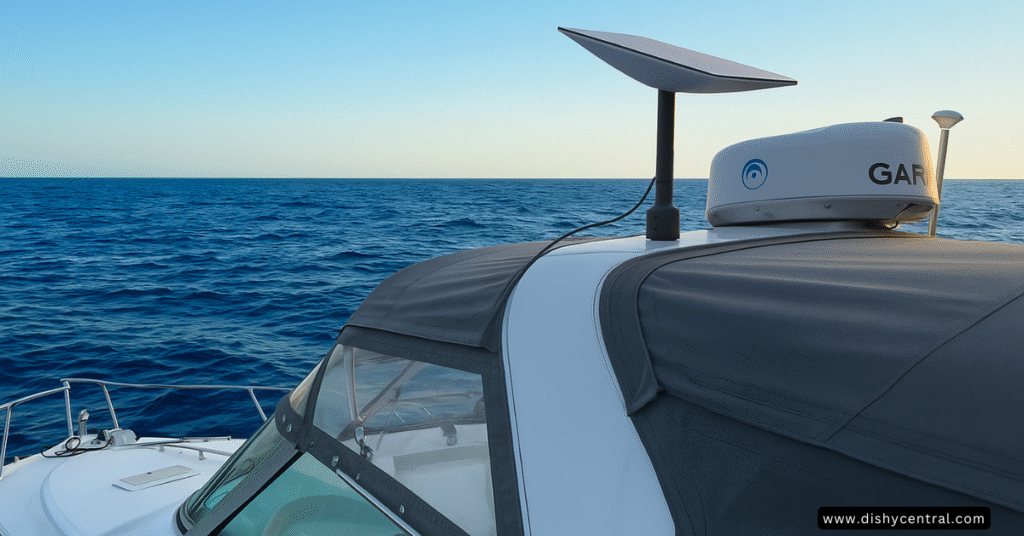
Ever been anchored somewhere beautiful with zero signal? Traditional marine satellite services have long cost thousands a month for slow, metered data, and cell coverage disappears a few miles from shore. Starlink changed that by bringing broadband-speed internet to boats at a fraction of the old cost.
This guide covers the current (2026) Starlink options for boaters: which plan tier fits coastal cruising versus full-time liveaboard use versus a commercial vessel, what the hardware costs, how to install and power it, and what changed recently in Starlink’s plan lineup, since it has changed more than once this year.
Starlink has grown to over 12 million subscribers in more than 160 countries and territories as of mid-2026.
Key Takeaways
- Most recreational boaters use a Roam plan (from $55/month) for coastal and inland waters; a boat doesn’t need a special “boat plan” for that.
- Open ocean beyond 12 nautical miles needs Ocean Mode, a pay-per-GB add-on for Roam Unlimited, now $6/GB (it was $2/GB before September 27, 2026).
- A new Personal Maritime plan ($185/month, unlimited data in territorial waters) is aimed at full-time cruisers, but it’s currently an invite-only trial, not something every boater can order yet.
- Commercial vessels use Starlink’s business Maritime service (branded Global Priority), from $250/month for 50GB up to $2,150/month for 2TB.
- Hardware: Starlink Mini ($199) or Standard ($349) suit most boats at anchor; the Flat High Performance kit ($2,500) is the only dish approved for in-motion Priority/Maritime use.
How Starlink Works at Sea
Unlike older marine satellite services, which bounce signal off a single satellite thousands of miles up, Starlink uses a constellation of low-Earth-orbit satellites much closer to Earth. That’s what makes broadband speeds and low latency possible on the water.
- Speeds: up to 300+ Mbps, per Starlink; actual speeds vary with location, weather and network congestion and are usually well below the maximum
- Latency: roughly 20-40ms, versus 500-800ms+ on older geostationary marine satellite services
- Coverage: works while moving, not just at anchor, on supported plans
What’s in the Box
A Starlink kit for a boat includes the dish, a power supply and cables, and basic mounting hardware; newer dishes like the Mini have the router built in. Setup itself is simple: mount the dish with a clear view of the sky, plug it in, and connect. The complexity for boaters is almost entirely in the mounting and power side, covered below, not the Starlink hardware itself.
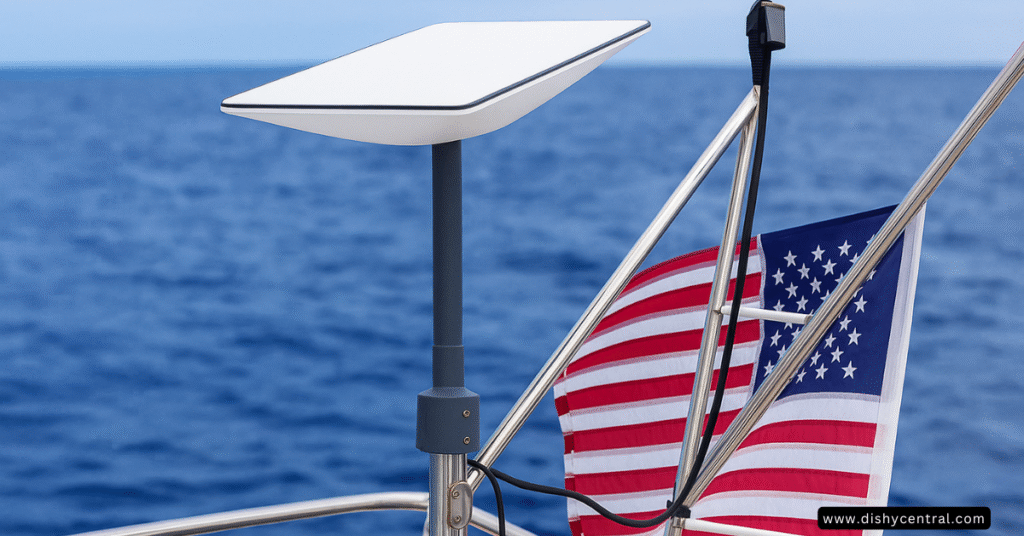
Choosing the Right Plan for Your Boat
Starlink’s plan lineup for boats changed substantially in 2026, and it’s easy to find outdated numbers online. Here’s what’s current, with sources, as of September 2026.
Roam: for coastal and inland cruising (most boaters)
Roam plans include coastal and inland waterway coverage and in-motion use by default, no special maritime add-on needed, as long as you stay within about 12 nautical miles of shore.
| Plan | Monthly price | What you get |
|---|---|---|
| Roam 100GB | $55 | 100GB of high-speed data, then unlimited low-speed data (fine for email, calls, texts) |
| Roam 300GB | $80 | 300GB of high-speed data, then the same low-speed fallback |
| Roam Unlimited | $175 | Unlimited high-speed data; the only Roam tier that can add Ocean Mode; includes travel to 160+ countries (up to 30 days outside your registered home country at a time) |
One restriction worth knowing: Roam 100GB and 300GB are tied to your registered home country or region (for example US & Canada, or Europe). To use them internationally, or to go beyond 12 nautical miles offshore, you need Roam Unlimited.
Ocean Mode: for open water beyond 12 nautical miles
Ocean Mode is an add-on for Roam Unlimited only (not the 100GB or 300GB plans). It gives higher network priority and coverage in international waters, billed per GB, and starts the moment you enable it.
- Price: $6 per GB (raised from $2/GB on September 27, 2026)
- No more day limits: Starlink removed the old 5-consecutive-day / 60-day-per-year cap; Ocean Mode now runs for as long as you leave it on
- You must turn it off manually in the Starlink app or account, under Subscriptions > Data, or it keeps billing every month it’s enabled
Example scenario (illustrative): An offshore passage using 50GB of Ocean Mode data would add about $300 to that month’s Roam Unlimited bill at the current $6/GB rate, on top of the $175 plan price. Turning Ocean Mode off as soon as you’re back within 12 nautical miles avoids paying that rate for data you don’t need it for.
Personal Maritime: for full-time liveaboards (invite-only trial)
In August 2026, Starlink began trialing a Personal Maritime plan aimed at cruisers who live aboard full-time and don’t want Roam Unlimited’s 30-day-outside-home-country limit.
- Price: $185/month for unlimited data in territorial waters (within 12 nautical miles of shore)
- Ocean Mode still applies beyond 12 nautical miles, at $6/GB
- Eligibility: small, personal (non-commercial) watercraft only; Starlink’s terms exclude vessels over 60 feet and any commercial or business use
- Availability: currently an invite-only trial, reportedly offered first to existing boat users Starlink identifies from their usage pattern, not yet open for anyone to sign up directly
Global Priority (Business Maritime): for commercial vessels
Commercial operators, fishing fleets, cruise lines and research vessels typically use Starlink’s business Maritime service, sold under the Global Priority name, with guaranteed priority data and global ocean coverage including international waters.
| Tier | Monthly price | Suggested for |
|---|---|---|
| Global Priority 50GB | $250 | Backup connectivity, small operations |
| Global Priority 500GB | $650 | Small business, 2-4 users |
| Global Priority 1TB | $1,150 | Small/midsize business, 5-10 users |
| Global Priority 2TB | $2,150 | Midsize business, 10-20 users |
After you use your priority data allotment, speed drops to about 1 Mbps download / 0.5 Mbps upload for the rest of the billing period. These plans require the Flat High Performance dish (below), not the Standard or Mini.
Which plan tier fits your boat?
| Your situation | Best fit | Starting price |
|---|---|---|
| Weekend or coastal cruiser, marinas and inland waters | Roam 100GB or 300GB | $55/month |
| Regular offshore passages, want flexibility | Roam Unlimited + Ocean Mode when offshore | $175/month + $6/GB offshore |
| Full-time liveaboard, mostly in territorial waters | Personal Maritime (if you can get an invite) | $185/month |
| Commercial vessel, fishing fleet, charter, research | Global Priority (business Maritime) | $250/month |
Hardware: Mini, Standard or Flat High Performance
| Kit | Price | Best for |
|---|---|---|
| Starlink Mini | $199 | Smallest boats, portable use, budget installs; built-in router |
| Starlink Standard | $349 | Most boats used mainly at anchor or at low speed |
| Flat High Performance | $2,500 | Boats that need certified in-motion use at any speed, Priority/Maritime plans, or the toughest weather |
The Flat High Performance dish is the only one Starlink officially approves for in-motion use at any speed, and it’s required for Priority and Maritime/Global Priority plans. The Mini and Standard dishes still work while moving at typical boat speeds for Roam plans, just without that certification; Starlink defines “in-motion” as over 10 mph (16 km/h), so most boats at anchor or moving at hull speed fall outside that definition anyway.
Where to buy the Mini: Starlink sells it directly at starlink.com. It’s also on Amazon, but right now it’s offered there by third-party sellers, usually above Starlink’s own price, so compare before buying, especially if warranty support from Starlink matters to you.
Affiliate link: if you buy through it we may earn a commission at no extra cost to you. See our affiliate disclosure.
Installing Starlink on a Boat
The sky-view requirement
Starlink needs a mostly unobstructed view of the sky to perform well: roughly 20° above the horizon and a full 360° of rotation. Even partial obstructions from a mast, rigging, or a hardtop measurably reduce speed and reliability.
- Pole mounts on a stern or bow pulpit
- Mast mounts on sailboats (watch for the sail itself blocking the view when under sail)
- Hardtop or radar-arch mounts on powerboats
- Custom fabricated mounts for less common layouts
Installation tips
- Use the Starlink app’s obstruction check before committing to a permanent mount
- Think through seasonal changes, canvas, sails or added rigging that might not be up during a test but will be later
- Route cable away from foot traffic and standing water
- Test with a temporary mount before drilling anything permanent
No-drill option for a Mini: magnetic mounts only grip steel, and most recreational hulls and cabin tops are fiberglass or aluminum, so on most boats you’d need the manufacturer’s separate steel plate first. If you have a suitable steel surface, we covered one in detail in our NovaKits Starlink Mini magnetic mount review; for rail, pole and other styles, see our Starlink Mini mounts roundup.
Power Requirements
Starlink’s own spec sheets give these typical ranges, which will vary with weather and how hard the dish is working to maintain a connection:
- Starlink Mini: about 20-40W
- Standard dish: about 25-60W average (up to about 120W peak)
- Flat High Performance: about 110-150W
- Onboard inverter: the most common approach for AC-powered dishes on recreational boats
- DC conversion kits: third-party kits that let the dish run directly off 12V/24V house power
- Marine-rated power supplies: built for boat electrical systems specifically
Because marine electrical systems are prone to voltage spikes, it’s worth powering the Starlink dish and any downstream router through a UPS or equivalent surge protection. Use our Starlink power and cost calculator to estimate monthly electricity cost and battery runtime for your specific kit.
Connecting Starlink to Your Boat’s Network
Using the Starlink router directly is the simplest option and works well if Starlink is your only source of internet aboard.
Integrating with an existing marine network is common for boats that already run Peplink or Ubiquiti gear, letting you fail over automatically between Starlink and cellular, or manage multiple internet sources from one system. Use the Starlink Ethernet adapter to connect the dish’s power supply to a third-party router’s WAN port.
| Related: Starlink on Cruise Ships: Complete Guide & Costs
Real-World Performance and Cost
What to expect at sea
- Coastal waters: commonly 25-220 Mbps, with many users seeing around 100 Mbps
- Inland waterways: usually similar to shore-based performance
- Offshore (Ocean Mode): variable, generally enough for essential connectivity rather than heavy streaming
- Sea state and motion can affect signal quality in rough conditions
- Obstructions from masts, rigging and sails create dead zones
- Network congestion: Roam data has lower priority than Priority-tier plans
- Location: satellite density and therefore performance varies by region
What it actually costs
Use the calculator on our Starlink cost guide for an up-to-date, plan-specific estimate, since Starlink’s prices change often enough that a fixed number here would go stale. As a worked example with today’s prices:
Example scenario (illustrative): A weekend boater with a Standard dish ($349) on Roam 100GB ($55/month) pays about $1,009 in the first year (hardware plus 12 months of service), before any mounting hardware or accessories. A liveaboard on Roam Unlimited ($175/month) with occasional Ocean Mode use offshore would pay more, depending on how much offshore data they use in a given month.
- Mounting hardware: roughly $50-300 depending on your boat and mount type
- Cables, power supplies and other installation accessories: roughly $100-300
- Electricity: a few dollars a month at typical marina electricity rates; see the power section above for wattage
Starlink vs. Traditional Marine Satellite
Traditional VSAT marine systems typically run into five figures for hardware plus hundreds to thousands a month for slow, metered data. Starlink’s hardware and monthly costs are far lower, and speeds are typically 10-100x faster with much lower latency, at the cost of needing a clearer sky view than a stabilized VSAT dome sometimes needs.
When an alternative still makes sense
Cellular/5G, for boaters who rarely leave coastal cell coverage: no dish needed, and carrier data plans can be cheaper for light use.
Traditional satellite services like Iridium or Inmarsat, for safety-of-life and voice-calling needs in open ocean; they remain the standard for emergency and rescue coordination in ways Starlink (including Personal Maritime, which Starlink explicitly does not position as a safety-of-life service) does not replace.
| Related: HughesNet vs Starlink: Which Satellite Internet Provider Is Better?
Is Starlink Right for Your Boat?
Worth it if you:
- Cruise coastal or inland waters regularly and want reliable internet
- Work remotely from the boat and need real video-call quality
- Want a lower-cost alternative to traditional marine satellite
- Are comfortable with a DIY-friendly install and want the flexibility to pause service (Standby Mode) when the boat isn’t in use
An alternative may fit better if you:
- Rarely leave cellular coverage and only need light data use
- Need guaranteed voice calling for safety purposes
- Need certified safety-of-life service for open-ocean passages
Getting Connected
Next steps:
- Check coverage for your cruising area at starlink.com
- Pick a plan tier: Roam for coastal/inland, Roam Unlimited + Ocean Mode for occasional offshore trips, Personal Maritime if you’re a full-time liveaboard and get an invite, or Global Priority for commercial use
- Pick your hardware: Mini or Standard for most boats, Flat High Performance if you need certified in-motion use
- Plan the mount for a clear sky view before you install anything permanently
- Order through official channels to keep your warranty and support intact
Frequently Asked Questions
How much does Starlink cost for a boat?
For most recreational boaters, Roam starts at $55/month plus $199-349 for hardware. Full-time liveaboards may prefer Personal Maritime ($185/month, if invited) or Roam Unlimited with occasional Ocean Mode. Commercial vessels use Global Priority, starting at $250/month with the $2,500 Flat High Performance dish.
What’s the difference between Ocean Mode and the Personal Maritime plan?
Ocean Mode is a pay-per-GB add-on to Roam Unlimited for occasional trips beyond 12 nautical miles. Personal Maritime is a separate $185/month plan built for people who live on the water most of the time, giving unlimited data within 12 nautical miles without Roam’s 30-day-outside-home-country limit; it’s currently an invite-only trial. Both still charge $6/GB for Ocean Mode beyond 12 nautical miles.
How do I know if Starlink will work in my cruising area?
Check the official Starlink availability map at starlink.com for your route, and confirm which Roam tier is available in your home region before you buy.
Can I use my residential Starlink dish on my boat?
Technically it may connect, but this is against Starlink’s terms of service and risks account suspension. Roam and Maritime plans exist specifically for mobile and marine use.
What happens if I exceed my data allowance?
On Roam 100GB or 300GB, once you use your high-speed allowance, service continues at a slower speed suitable for email, calls and texts, at no extra charge, for the rest of the billing period.
How much power does Starlink actually use?
It depends on the kit: roughly 20-40W for the Mini, 25-60W average for the Standard dish, and 110-150W for the Flat High Performance, per Starlink’s published specifications.
Is professional installation required?
No. A DIY mount and setup is one of Starlink’s advantages over traditional marine satellite systems, though a professional install is worth considering for a permanent Flat High Performance setup on a larger vessel.

