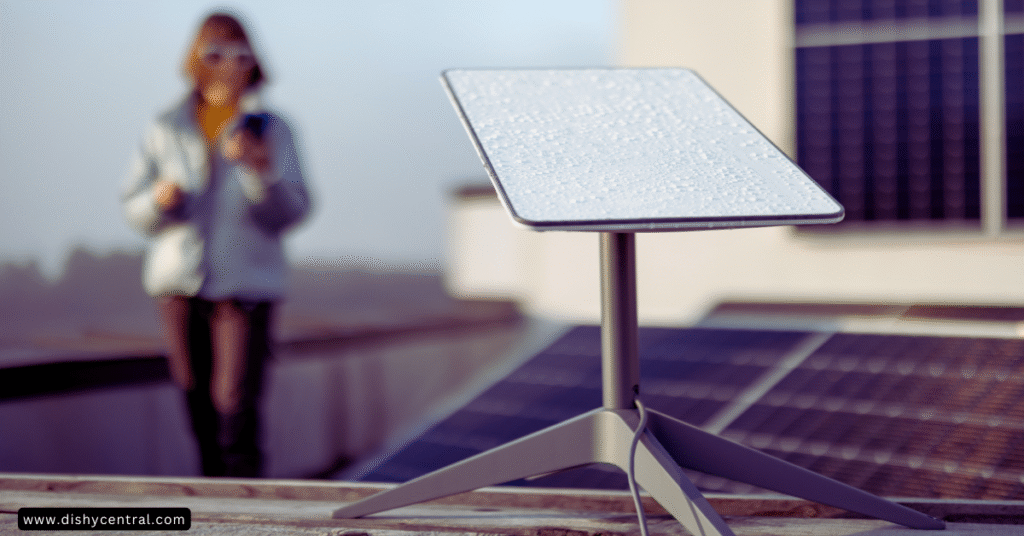
Does Starlink work in bad weather? Many people wonder about this when they think about satellite internet. Starlink is designed and tested for a wide range of conditions, including snow, hail, sleet, heavy rain and extreme heat, but heavy weather can still affect your connection quality. Its low-orbit design handles weather better than older satellite services.
This article shows how Starlink holds up during storms, rain and snow. You’ll learn why weather affects satellite internet, what Starlink publishes about its hardware limits, how to tell whether weather is behind a problem, and what you can do to keep your connection strong.
How this guide was written: it is a research-based guide that draws on Starlink’s published specification sheets and Help Center articles (linked throughout and listed at the end) and on commonly reported user experience. It is not a hands-on weather test. Figures differ between kits and Starlink updates its documents, so check the spec sheet for your kit. Last reviewed: September 2026.
Key Takeaways
- Heavy rain causes signal attenuation that can affect Starlink connectivity. Starlink says moderate to heavy rain, snow and hail can cause momentary dropouts.
- Snow accumulation blocks signals when it builds up faster than the dish’s built-in heating can melt it. Starlink lists snow melt rates of up to 25, 40 or 75 mm per hour depending on the kit.
- Strong winds can move the dish or its mount. Starlink’s spec sheets list an operational wind rating of 96 kph+ (60 mph+) for these kits.
- Most users only see problems during severe weather, not light conditions.
- A clear view of the sky and a secure mount significantly reduce weather-related problems.
| Weather | What can happen | What helps |
|---|---|---|
| Heavy rain | Reduced speeds or brief outages while it lasts | Wait it out; make sure the dish has a clear view |
| Snow | Buildup can block the dish’s view | Snow melt setting; clear snow safely; don’t use covers |
| Wind | A poorly secured dish or mount can shift | A solid mount; check it after storms |
| Thunderstorm | Heavy rain plus surge risk | Grounding and surge protection; consider unplugging |
| Extreme cold or heat | Equipment stress; heat can slow performance to protect the dish | Shade and airflow for the power supply; stay within the rated range |
| Power cut | No power means no service | A UPS or backup power |
Understanding How Starlink Connects (and Why Weather Matters)
Starlink works through a network of satellites orbiting much closer to Earth than traditional satellite internet. Your dish connects to these satellites, which link to ground stations that connect to the internet backbone. This three-part system (dish, satellites, ground stations) creates your connection.
When you use Starlink, your signal has to travel through the atmosphere from your dish to the satellites, and the satellites’ links to ground stations also pass through the atmosphere. These signals are radio waves, and they can be affected by what is in their path.
Weather matters because rain, snow and other atmospheric conditions put water in the signal’s path. Water can absorb or scatter radio waves and weaken your signal. This weakening is called “signal attenuation.”
“Rain fade” is the term for when rainfall degrades a satellite signal. Starlink uses high-frequency radio bands for data transmission, and those are the bands most affected by heavy downpours, though less severely than with older satellite systems that have a much longer path through the atmosphere.

How Does Starlink Handle Different Weather?
Starlink’s spec sheets give firm numbers for temperature, wind and snow melt. Here is what the three current kit families list:
| Kit | Temperature and wind | Snow melt capability |
|---|---|---|
| Starlink Mini | Operating −30°C to 50°C (−22°F to 122°F). Wind 96 kph+ (60 mph+) | Up to 25 mm per hour (1 in per hour) |
| Starlink Standard | Operating −30°C to 50°C (−22°F to 122°F). Wind 96 kph+ (60 mph+) | Up to 40 mm per hour (1.5 in per hour) |
| Starlink Performance (Gen 3) | Operating −30°C to 50°C (−22°F to 122°F). Wind 96 kph+ (60 mph+) operational, 280 kph+ (174 mph+) survivable | Up to 75 mm per hour (3 in per hour) |
All three list an IP67 Type 4 environmental rating. Starlink’s weather article also says the latest-generation kits can survive temperatures from −40°C to 43°C (−40°F to 110°F) and winds of 160 kph+ (99 mph+). Different documents list different figures for different kits, so use the spec sheet for yours: Mini, Standard, Performance.
Rain: Does it stop Starlink?
Heavy rain is probably the biggest signal challenge for Starlink. Raindrops absorb or scatter the satellite signal, which is the “rain fade” described above. Light rain usually causes no problems.
During very heavy downpours, your internet might slow down or briefly cut out. It’s like trying to see through a waterfall: the signal struggles to get through. Starlink says moderate to heavy rain can cause momentary dropouts, and service normally comes back once the worst of it passes.
| Rain level | What you might notice | What to do |
|---|---|---|
| Light rain | Usually nothing | Nothing |
| Moderate to heavy rain | Slower speeds or momentary dropouts | Wait; check the app if it doesn’t recover |
| Very intense downpour | Brief outages | Wait for it to pass; check the dish’s view afterward |
Example scenario (illustrative): A summer thunderstorm rolls over. Video calls freeze for a minute at the heaviest point, then recover as the rain eases. The app shows Online again with no action needed. That pattern points to rain fade, not a hardware fault.
Snow: Will Starlink Stay Connected?
Starlink dishes have a helpful feature: they can heat themselves. This melts snow that lands on the dish surface, so falling snow isn’t usually a problem unless it is extremely heavy. Starlink says its terminals should be able to melt snow that builds up over a given period, except in extreme blizzard conditions.
The bigger issue is snow buildup. If snow piles up faster than the dish can melt it, or if it blocks the dish’s view of the sky, your service will drop. During big storms you may need to clear snow off the dish yourself, safely.
You can adjust snow melt in the app. Starlink describes an “Automatic” mode (recommended) that detects snowy conditions and heats only when needed, and a “Pre-heat” mode that keeps the dish warm to resist buildup and may increase power consumption. See How do I adjust snow melt mode? and our power consumption guide for how heating affects power use.
| Snow situation | What is likely | What to do |
|---|---|---|
| Light or moderate snowfall | Dish heating keeps up | Nothing; keep snow melt on Automatic |
| Heavy snowfall or ice storm | Snow may build up faster than it melts | Clear snow carefully if safe; consider Pre-heat if you expect a storm |
| Sleep schedule is on | Starlink doesn’t melt snow while sleeping | Turn it off before snowy nights |
| A cover or shield on the dish | It degrades performance, including snow melt | Remove it. Starlink recommends against covers |
Example scenario (illustrative): A forecast calls for heavy overnight snow. The owner turns off a sleep schedule (Starlink says the dish doesn’t melt snow while it sleeps), leaves snow melt on Automatic, and checks the dish in the morning. A light crust of snow at the edges is fine; a thick layer over the face would be cleared safely.
Wind and Your Starlink Dish
Your Starlink dish needs to point correctly at satellites moving overhead, and it adjusts itself automatically. Strong winds can shake the dish or its mount.
Starlink lists an operational wind rating of 96 kph+ (60 mph+) for the kits above, and a survivable rating of 280 kph+ (174 mph+) for the Performance (Gen 3) kit. A solid mount matters as much as the rating: most wind-related problems come from a loose or poorly secured mount. After a windy storm, check that the mount is still tight and the cable isn’t strained.
Fog or Cloud Cover
Fog and normal clouds generally have much less impact on Starlink than rain or snow. The water droplets in fog and clouds are far smaller and less dense than raindrops, so they interfere less with the signal.
Starlink doesn’t publish fog-specific figures. User reports vary, but in general very dense fog or thick storm clouds cause at most minor degradation.
For everyday cloud cover, you’ll likely notice no difference. Only the thickest storm clouds combined with precipitation are likely to slow your connection.
Starlink During Thunderstorms (Severe Weather)
Thunderstorms create several challenges at once: heavy rain, possibly hail, and thick storm clouds, all of which can weaken signals. These are the events most likely to cause noticeable slowdowns or temporary outages.
For safety, consider unplugging your Starlink equipment during severe thunderstorms, as you would other electronics, and don’t handle the dish or cables during a storm. Starlink says its hardware meets U.S. National Electrical Code (NEC) grounding requirements, but that in areas with lightning an external lightning protection system (a lightning rod, ground rod or surge protector, for example) may reduce susceptibility. Nearby strikes can still cause power surges.
Does Starlink Work in Extreme Cold or Heat?
Starlink’s spec sheets list an operating temperature range of −30°C to 50°C (−22°F to 122°F), and its weather article says the latest kits can survive −40°C to 43°C (−40°F to 110°F). That covers typical outdoor conditions in most places.
In extreme cold, the dish’s self-heating helps prevent snow buildup. In very hot conditions, Starlink says a dish approaching its maximum temperature runs at reduced performance to avoid overheating. Keep the power supply somewhere ventilated and out of direct sun (see Starlink’s power supply article).
Temperature extremes are more about equipment stress than signal blockage. Extended time outside the rated range may shorten equipment life.
| Related: How Does Starlink Work: A Complete Technical Breakdown
What Users Experience: Real-World Starlink Weather Performance
What happens when storms roll in? Here is what Starlink’s documentation and commonly reported experience suggest.
What to Expect in Mild vs. Severe Weather
With light rain, some clouds or a little snow, you probably won’t notice any change. The system handles those conditions easily, like driving on a slightly wet road.
When weather gets severe, such as heavy thunderstorms, blizzards or tropical storms, you may see a difference: your internet might slow down or briefly drop. The worse the weather directly above your dish or the satellites it is talking to, the higher the chance of temporary issues.

When Starlink Service Might Pause
Starlink may pause briefly during the worst parts of a storm. Starlink describes these as momentary dropouts, and owners commonly report them lasting from seconds to a few minutes. If you’re streaming video, it might buffer; video calls might freeze briefly.
For email or browsing, you might not notice very short drops. Longer outages during storms are more often caused by a power cut or physical damage than by signal weakening.
Not sure whether the weather is the cause? Use this quick check:
| Check | If yes | If no |
|---|---|---|
| Does it recover on its own as the weather passes? | Likely weather (rain fade or snow) | Check obstructions, cables and power |
| Is there snow or ice on the dish’s face? | Clear it safely and check snow melt settings | Go to the next check |
| Did wind move the dish or mount? | Re-secure it and check the app’s obstruction view | Go to the next check |
| Is the power on? | Continue to the app for alerts | Restore power; consider a UPS |
If it still isn’t working once the weather has passed, follow our Starlink troubleshooting guide.
Starlink Compared: Weather Reliability
How does Starlink compare with other internet types in bad weather? Compared with older geostationary satellite services, Starlink is generally more resilient in rain and snow, because its satellites are much closer and the path through the atmosphere is much shorter.
Compared with wired internet like cable or fiber, Starlink can be more sensitive to heavy rain or snow blocking the signal. Wired internet can also fail during storms when lines are damaged by falling trees or ice. Every connection type has its weaknesses when bad weather hits.
| Features | Traditional Satellite (GEO) | Starlink (LEO) |
|---|---|---|
| Orbit altitude | Very high (about 35,786 km) | Low (about 550 km) |
| Signal path | Long atmospheric path | Much shorter atmospheric path |
| Latency | High (500 ms or more) | Much lower (about 25–60 ms typical) |
| Weather impact | Highly susceptible to rain fade and cloud | Less susceptible to rain fade; minor cloud impact |
(Starlink vs. Traditional Satellite Internet. In general, Starlink is the more weather-resilient of the two.)
| Connection type | How weather can affect it | Notes |
|---|---|---|
| Cable or fiber | Lines damaged by trees, ice or flooding | Rarely affected by rain or snow itself |
| Traditional satellite (GEO) | Rain fade and cloud | Long signal path |
| Starlink | Heavy rain, snow buildup, wind on the mount | Short path; snow melt built in |
| Home 5G or fixed wireless | Heavy rain and obstruction can reduce speeds | Varies by provider and distance |
Tips to Help Your Starlink in Bad Weather
Even though Starlink works in most weather, there are things you can do to keep the connection strong during storms.
Picking the Best Spot for Your Dish
Where you put your Starlink dish really matters. It needs a clear view of the sky, and trees, tall buildings or parts of your roof can block the signal. If the view is already partly blocked, bad weather will cause more problems. Pick a spot with a wide-open view of the sky, and see our dish placement guide.
Keeping Your Starlink Clear
The dish heats to melt snow, but during very heavy snow or an ice storm it may build up faster than it melts. Leaves and other debris can also stick to the dish. Regularly check that the dish is free of snow, ice or anything blocking its surface, and clear it carefully. Only do this if it is safe, especially if the dish is mounted high up.
Protecting Your Equipment
The dish is built for outdoor use, but the indoor parts, such as the router and power supply, are not. Power surges from nearby lightning can damage equipment.
Use a surge protector for your Starlink power supply and router. If power outages are common during storms where you live, a battery backup (UPS) can keep your Starlink running when the power flickers.
| Before the storm | During the storm | After the storm |
|---|---|---|
| Check the mount and cables; make sure snow melt is on Automatic | Don’t touch equipment in lightning; expect brief drops | Check the dish’s view, the mount and the cable |
| Turn off any sleep schedule on snowy nights | Wait out heavy rain or snow | Clear snow or debris safely |
| Fit surge protection or a UPS if outages are common | Unplug in severe thunderstorms if you can do so safely | Restart if it doesn’t recover |
Conclusion: Does Weather Affect Starlink ?
So, does Starlink work in bad weather? Yes, it generally works through most conditions, including typical rain, snow and clouds. Its design and low-orbit satellites help a lot, and you may see short pauses during very heavy storms.
A clear view, a secure mount, surge protection and keeping the dish clear are the steps that matter most. For many people, Starlink stays usable through rough weather where other options fail. Think about your location and typical weather when deciding whether Starlink is right for you, and consider the Performance (Gen 3) kit if you need the highest weather margin. Starlink itself points to it for extreme weather.
Spotted a spec that has changed, or something out of date? Let us know through our contact page.
Official Starlink Resources Used in This Guide
- I live in an area with snow, heavy rain, wind, lightning, or extreme temperatures. Can I still use Starlink?
- How Starlink performs in snow and ice
- How do I adjust snow melt mode?
- Does weather impact my service quality?
- How do I install my power supply unit to prevent overheating?
- Starlink reliability
- Starlink Mini specifications (PDF)
- Starlink Standard specifications (PDF)
- Starlink Performance specifications (PDF)
Frequently Asked Questions
Does Starlink work in heavy rain?
Light to moderate rain usually causes minimal issues. Starlink says moderate to heavy rain can cause momentary dropouts, so heavy downpours may cause a temporary speed reduction or brief outage. Service typically returns to normal once the intense rain passes.
Will snow affect my Starlink connection?
Starlink dishes have built-in heating to melt snow. Light to moderate snowfall rarely affects connectivity. Heavy snow that builds up faster than the dish can melt it may need to be cleared manually to keep service running.
Can strong winds disrupt Starlink service?
Moderate winds don’t typically affect service. Starlink lists an operational rating of 96 kph+ (60 mph+) for its kits. Very strong winds, or a loose mount, can shift the dish and cause temporary alignment issues, so a solid mount matters.
Does Starlink work during storms with lightning?
Starlink says its hardware meets U.S. National Electrical Code grounding requirements, and that an external lightning protection system may reduce susceptibility in lightning-prone areas. Direct strikes are rare, but a surge protector is recommended for additional protection.
Will cloud cover affect my Starlink connection?
Normal cloud cover doesn’t affect service. Only extremely thick storm clouds combined with heavy precipitation are likely to cause signal degradation.
Does Starlink work during power outages?
No, Starlink needs electricity to work. If you need internet during outages, consider a backup power solution such as a UPS, a battery or a generator.
How does Starlink compare to other internet types during bad weather?
Starlink generally performs better in bad weather than older geostationary satellite services, but it may be more affected by severe weather than wired connections such as fiber or cable.
Can I protect my Starlink dish from extreme weather?
Don’t add covers. Starlink recommends against them because they can degrade performance, including snow melt. Instead, make sure the mount is secure, use surge protection and clear excess snow safely when needed.
How much snow can Starlink melt?
Starlink’s spec sheets list snow melt capability of up to 25 mm per hour for the Mini, 40 mm per hour for the Standard and 75 mm per hour for the Performance (Gen 3) kit. Faster snowfall than that can build up on the dish.
What temperatures can Starlink handle?
Starlink’s spec sheets list an operating range of −30°C to 50°C (−22°F to 122°F). Its weather article says the latest kits can survive −40°C to 43°C (−40°F to 110°F).
Does the sleep schedule stop snow melt?
Yes. Starlink says that during the sleep period the dish doesn’t provide internet service or melt snow, so turn the schedule off on snowy nights.
Is the Performance kit better for bad weather?
Starlink recommends the Performance (Gen 3) kit for people who need higher performance in extreme weather. Its spec sheet lists a higher snow melt capability (up to 75 mm per hour) and a survivable wind rating of 280 kph+ (174 mph+).