
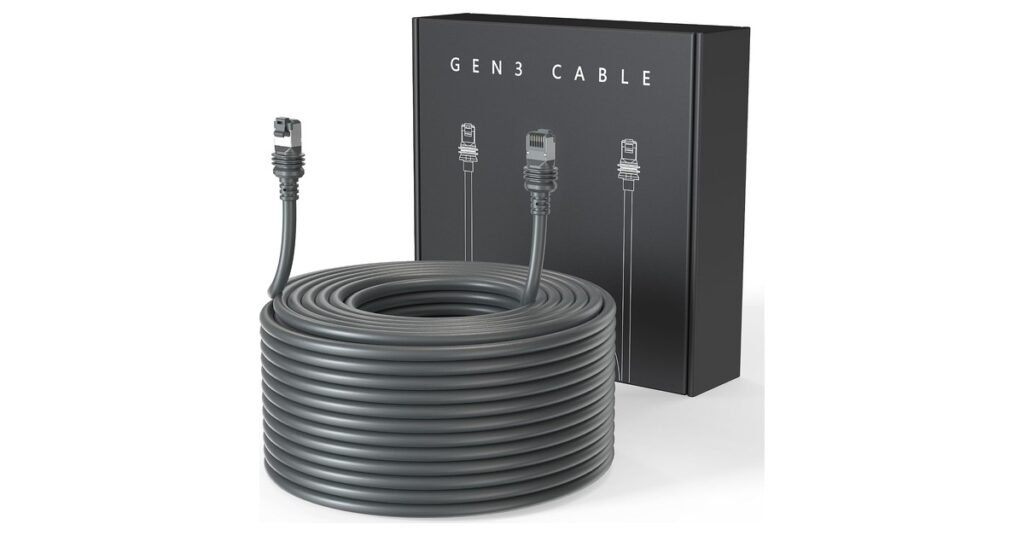
The Starlink Standard kit comes with a 15 m (49.2 ft) cable. If the best spot for your dish is farther from the house than that, you need a longer one. Starlink sells a 45 m (147.6 ft) cable for the Standard 4 and 4 X in its shop (Starlink accessories guide). On Amazon, the LUCMO replacement cable comes in eleven lengths from 6.5 ft to 300 ft, including runs longer than anything Starlink sells for the Standard dish.
This guide covers how long each Starlink cable is, the official and third-party options for a longer run, which length to choose, and what Starlink says about non-Starlink cables.
Key Takeaways
- Stock length: 15 m (about 50 ft) with the Standard 4, Standard 4 X, V5 and Mini kits.
- Official long cable: Starlink’s 45 m (147.6 ft) cable, for the Standard 4 and 4 X, from the Starlink shop.
- Amazon option: the LUCMO cable in 6.5 to 300 ft, rated 4.7 stars from 650 buyers. It replaces the whole cable, so there’s no join in the middle.
- Long runs need thicker wire: for 150 ft and up, LUCMO uses 24AWG wire. Choose a 24AWG length for long runs.
- Starlink’s position: it doesn’t recommend third-party cables and says damage they cause may void the warranty. Test a new cable before you fix it in place.

Read this first: the LUCMO cable is a third-party product. Starlink says it does “not recommend using any third-party cables as it may cause water damage to your Starlink”, and that such damage may void the warranty (Starlink Help Center). Starlink’s own 45 m cable is in the Starlink shop. This listing’s reviews are strongly positive, but it’s your risk to take.
How Long Is the Starlink Cable?
It depends on the kit (Starlink Help Center):
| Kit | Cable in the box |
|---|---|
| Standard 4 and Standard 4 X | 15 m (49.2 ft), detachable |
| Starlink Mini | 15 m (49.2 ft) DC power cable |
| Standard Actuated (Gen 2) | 15 m (50 ft), detachable |
| Performance (Gen 1 and Gen 2) | 25 m (82 ft) |
| Enterprise | 50 m (164 ft) |
| Original round dish | 30 m (100 ft), attached |
The newer Starlink V5 kit also comes with a 15 m cable. For what else is in each box, see Starlink kits explained.
Starlink’s Official Long Cable
For the Standard 4 and Standard 4 X, Starlink sells two cables: a 15 m (49.2 ft) replacement and a 45 m (147.6 ft) cable “when additional length is needed between your install location and the router” (Starlink accessories guide). They’re in the Starlink shop, which you sign in to with your Starlink account.
The official cable is the safe choice: it’s made for the dish’s power needs and has Starlink’s sealed, locking plug. Its limits are that it comes in one long length, 45 m, and you can only buy it through your account.
LUCMO Starlink Cable: Lengths and Prices
| Length | Amazon price |
|---|---|
| 6.5 ft | $19.95 |
| 10 ft | $21.84 |
| 16 ft | $25.99 |
| 30 ft | $29.99 |
| 75 ft | $34.49 |
| 100 ft | $39.99 |
| 100 ft, 24AWG | $49.99 |
| 130 ft | $56.99 |
| 150 ft, 24AWG | $59.99 |
| 200 ft, 24AWG | $119.99 |
| 300 ft, 24AWG | $139.99 |
Prices checked October 1, 2026. They change often; the button shows the current price for each length.
LUCMO cable specifications (per the Amazon listing) |
|
|---|---|
| Cable type | Shielded CAT6, 8 copper wires |
| Wire gauge | 26AWG; 24AWG on the lengths marked 24AWG |
| Plugs | Starlink-style, with waterproof gasket and gold-plated contacts |
| Jacket | PVC, for indoor and outdoor use |
| Fits | Standard (Gen 3), Standard 4, Standard 4 X, V5 |
| Doesn’t fit | Standard Actuated (Gen 2), Performance kits, Mini |
| Support | 3 months of after-sales support, per LUCMO |
Why we like it:
- One continuous cable. It replaces the stock cable end to end, so there’s no coupler or join outdoors. That matters because Starlink advises against combining cables to add length.
- Lengths Starlink doesn’t offer. The official long cable is 45 m (147.6 ft). LUCMO goes to 150, 200 and 300 ft, and also has short 6.5 to 30 ft lengths for tidy indoor or RV setups.
- It’s well reviewed. It has 4.7 stars from 650 ratings, with 88% five-star, and more than 2,000 sold a month. Recent reviewers describe it running outdoors for 9 to 12 months through sun, rain and snow, and say the plug fits like the original.
- Good value. The 100 ft cable works out to about $0.40 a foot.
Worth knowing:
- It’s not a Starlink product, and Starlink warns against third-party cables (see above). The waterproof plug design is the seller’s; check it seats fully at the dish.
- The cable also powers the dish. Longer and thinner wire loses more voltage along the way. That’s why the longest lengths use thicker 24AWG wire. For runs of 100 ft or more, we’d pick a 24AWG option.
- 200 and 300 ft are beyond anything Starlink sells for the Standard dish. Treat them as try-it-and-see: test before you install permanently.
- It only fits the Standard (Gen 3), Standard 4, 4 X and V5. It won’t fit the Gen 2 Actuated dish, Performance kits or the Mini.
Which Length Should You Buy?
- Measure the real route, not the straight line: up the wall, along the eaves, through the wall and across the room to the router.
- Add a few feet of slack for a drip loop at the wall entry and for moving the router later.
- Don’t overbuy by a lot. Extra length means more voltage loss and a coil to hide. Pick the next length up from your measurement.
- Up to about 45 ft: the stock cable already covers it.
- 50 to 100 ft: the 75 ft or 100 ft cable. The 24AWG 100 ft version costs $10 more and gives more margin.
- 100 to 150 ft: Starlink’s 45 m cable, or LUCMO’s 130 ft or 150 ft (24AWG).
- Over 150 ft: LUCMO’s 200 or 300 ft (24AWG) are the only options here, and the least certain. Consider moving the router closer instead (see below).
Test before you route it. Lay the new cable out on the ground, plug it in at both ends, and run the Starlink app’s speed test and check for alerts for an hour or so. Only then drill holes and clip it down. If it misbehaves, return it; check the return window on the listing.
How to Swap the Starlink Cable
- Unplug the Starlink power supply or router from the wall.
- Unplug the old cable from the dish and from the router or power supply.
- Route the new cable. Keep it free of kinks and away from door jambs.
- Push each plug in until it sits flush. A plug that isn’t fully seated can stop the dish powering up, and it won’t seal against water.
- Plug the power back in and check the Starlink app for the dish coming online.
For getting the cable through a wall, see our Starlink cable routing kit guide. For the full install, see how to set up Starlink.
Starlink’s Rules for Cables
- Don’t join cables. Starlink doesn’t recommend “modifying your cable or combining it with another cable to add length” (Starlink Help Center). Use one cable of the right length.
- Don’t bury it or put it under water. Starlink says its cable isn’t rated for either. Use conduit across open ground; one LUCMO reviewer ran theirs through 1-inch PVC.
- Avoid kinks, debris and door jambs. Cable damage can affect your service.
- Warranty: damage caused by modified or third-party cables may void the Starlink warranty.
A damaged cable is a common cause of dropouts; see Starlink disconnected and is Starlink waterproof?
Do You Need a Longer Cable at All?
The long cable only has to reach the router or power supply, not the room where you use the internet. Often it’s easier to keep the dish cable short and extend the network indoors:
- Put the router near where the cable enters, then add a mesh node for the far rooms. See our Router Mini guide.
- Run ordinary Ethernet from the router to another room or building. Normal network cable is fine indoors and after the router. See the Starlink Ethernet adapter guide.
- Move the dish closer, if a nearer spot has a clear view of the sky. See dish placement.
Pros and Cons
Who Should Buy It?
- Buy the LUCMO if your dish needs to sit 50 to 150 ft from the router, you want a length Starlink doesn’t sell, or you want it from Amazon without waiting on the Starlink shop.
- Buy Starlink’s 45 m cable if you want to stay fully inside Starlink’s guidance and warranty, and 147 ft is the right length.
- Skip both if you can move the router or add mesh WiFi instead.
Frequently Asked Questions
How long is the standard Starlink cable?
15 m (49.2 ft) for the Standard 4 and Standard 4 X. The Mini also comes with a 15 m DC cable. Performance kits have 25 m and Enterprise kits 50 m.
What is the longest Starlink cable?
For the Standard 4 and 4 X, Starlink’s longest official cable is 45 m (147.6 ft). Third-party cables such as LUCMO’s go up to 300 ft, but Starlink doesn’t support those.
Can I extend my Starlink cable?
Starlink doesn’t recommend joining cables to add length. Replace the whole cable with a longer one instead.
Can I use a regular Ethernet cable with Starlink?
Not between the dish and the router. Starlink says its cable follows RJ45 standards but has a water-resistant locking seal and a power rating specific to the kit, so it doesn’t recommend other cables. Regular Ethernet is fine from the router to your devices.
Does a longer cable slow down Starlink?
It shouldn’t at the lengths Starlink sells. On very long third-party runs the risk is voltage loss, since the same cable powers the dish; that’s why thicker 24AWG wire is used. Starlink can’t guarantee service quality with other cables, so test before installing permanently.
Does the LUCMO cable work with the Starlink Mini or Gen 2?
No. It fits the Standard (Gen 3), Standard 4, 4 X and V5. The Mini uses a DC power cable, and the Gen 2 Actuated dish uses a different plug.
Can I bury a Starlink cable?
Starlink says its cable isn’t rated to be buried or under water. Run it through conduit if it has to cross the ground.
Will a third-party cable void my Starlink warranty?
Starlink says damage to your kit caused by modified or third-party cables may void the warranty, and that you use them at your own risk.
Starlink facts from the Starlink Help Center and Starlink’s Standard accessories guide, checked October 1, 2026. LUCMO details, ratings and prices are from its Amazon listing on the same date. We haven’t tested this cable ourselves. As an Amazon Associate we earn from qualifying purchases; see our disclaimer. Not affiliated with SpaceX or Starlink.

