
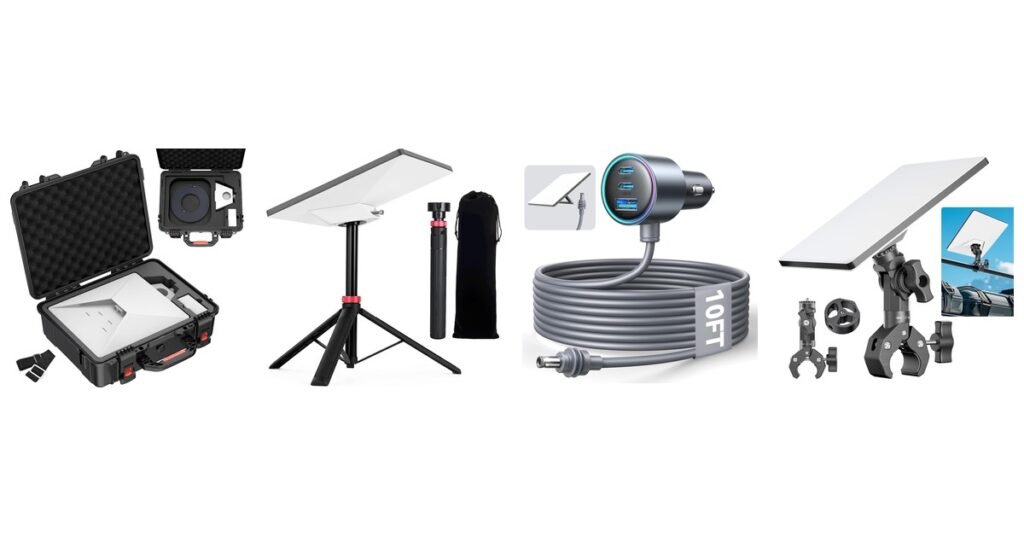
The Starlink Mini works out of the box, but the right accessories make it far more useful on the road. A car adapter lets it run from your dash socket, a battery takes it off-grid, a mount gets it onto a roof or rail, and a case keeps it safe in transit. This guide covers the Mini accessories worth buying, grouped by job, with Starlink’s own power and mounting rules so you don’t buy something that doesn’t work.
Everything in the Mini box first: the dish, kickstand, pipe adapter and flat mount, a 15 m DC power cable and a power supply (Starlink Help Center). Anything below is an add-on.
Key Takeaways
- Power: the Mini needs 12–48 V DC (60 W input) or a USB-C PD source rated 100 W. It won’t run on 65 W chargers (Starlink Help Center).
- Mounts: Starlink warns that metal mounts that wrap around the Mini’s base, or setting it directly on metal, can interfere with GPS. Check the app after installing any metal mount.
- Driving with it: in-motion use needs a Roam or Priority plan (up to 100 mph where allowed), not Residential (Starlink Help Center).
- Our quick picks: the JOYROOM car adapter for vehicles, the RAVION 158 Wh battery for off-grid, the AUDEETO pole clamp for rails, and the MEKEET hard case for travel.
- Colors vary: several of these come in more than one color; pick yours on the Amazon listing.
Quick Picks: Best Starlink Mini Accessories
| If you need… | Our pick |
|---|---|
| Power in a car or truck | JOYROOM Mini car adapter, about $26 |
| All-day off-grid power | RAVION 158 Wh clip-on battery, about $329 |
| A battery that sits under the dish | QUASYREALIM base battery, about $110 |
| Power from Milwaukee M18 tool batteries | QKJCE M18 adapter, about $31 |
| A roof mount with a hail shield | NovaKits magnetic roof mount, about $73 |
| A low-cost magnetic car base | TAILBB magnetic base, about $38 |
| Mounting to a pole or rail | AUDEETO pole clamp, about $24 |
| Roof racks, ladders and walls | SOZATO aluminum mount, about $51 |
| Camping on the ground | EXNOVFC tripod, about $30 |
| Carrying and storing the kit | MEKEET hard case, about $36 |
| Protecting the dish face | STARGEAR silicone cover, about $28 |
| Wall-mounting a Router Mini | STARGEAR 2-in-1 router mount, about $20 |
Amazon prices checked September 30, 2026. They change often; the buttons show the current price.
Before You Buy: Starlink’s Rules for Mini Accessories
- Power input: 12–48 V DC, 60 W, or USB-C PD rated at least 100 W (20 V / 5 A). The Mini uses about 20–40 W on average and 15 W idle. Starlink only guarantees performance with its own power supply and cable, so third-party power gear is at your own risk (power sources; how to power the Mini).
- Metal and GPS: Starlink says third-party metal mounts that wrap around the base enclosure, or placing the Mini directly on metal, may interfere with GPS and aren’t supported. The GPS chip sits at the top-right corner on the back. Starlink recommends its own mobility mount for vehicles (Starlink Help Center).
- In-motion use: Roam, Local Priority and Global Priority plans support in-motion use up to 100 mph (160 km/h) where it’s authorized. Residential plans don’t (Starlink Help Center).
- Leave the white film on: don’t peel the white film off the front of the Mini. It’s a water-repelling layer, and removing it isn’t covered by the warranty (Starlink Help Center).
- Waterproofing: the Mini is rated IP67 with Starlink’s DC cable and plug fitted (Mini spec sheet). Keep third-party power bricks and USB-C ends out of the rain.
Official Starlink Mini accessories
Starlink sells its own add-ons in the Starlink shop (no affiliate link): the Mini Mobility Mount, Mini Wall Mount, Mini Pivot Mount and Mini Roof Rack Mount (install guides); the Mini Car Adapter for 12–24 V sockets (select markets only) (Starlink Help Center); a 5 m Mini USB-C cable for 100 W USB-C sources (Starlink Help Center); and the 15 m Mini Starlink Ethernet cable, which keeps the dish waterproof when you add a wired router (Starlink Help Center). For more WiFi, there’s the Router Mini.
Best Starlink Mini Power Accessories
For how much power the Mini really draws, see Starlink power consumption and does the Starlink Mini need power?

Why we like it: it’s the simplest way to run a Mini in a car, truck or RV, and it’s the most-reviewed Mini power accessory we found, with 1,200+ ratings. You also get spare USB ports to charge phones. Worth knowing: JOYROOM says it passes your vehicle’s voltage straight through with no boosting, and pitches it for use while the engine is running. That fits the Mini’s 12–48 V input. With the engine off, a car’s voltage sits lower and drains the battery. Starlink’s own Mini Car Adapter is sold only in select markets (Starlink Help Center). See also Starlink for cars.

Why we like it: a battery built for the Mini’s shape, so there’s no loose power bank and cable. It’s the bigger sibling of the 99 Wh Battery Lite we covered in our RAVION Battery Lite review. Worth knowing: at about $329 it’s the priciest item here, and the 6–9 hour figure is RAVION’s. By our rough math, 158 Wh at the Mini’s typical 20–40 W is about 4–8 hours before conversion losses, so expect the low end with heavy use.

Why we like it: it turns the Mini into a self-contained stand, with the battery as the base, for about a third of the RAVION’s price. The USB-C port can also charge a phone. Worth knowing: it’s a new listing with only about a dozen ratings so far, and the runtime is the seller’s figure. The seller rates charging from 0°C to 45°C.

Why we like it: if you already own M18 tool batteries, this is the cheapest way to get off-grid power, and batteries are quick to swap. 18 V sits inside the Mini’s 12–48 V range. Worth knowing: runtime depends on the battery. By our rough math, a 5.0 Ah M18 pack (about 90 Wh) gives roughly 2–4 hours at the Mini’s typical draw. It only fits Milwaukee M18, and some listings for other brands exist, so buy the right one.
Want more runtime than a battery? See solar power for Starlink.
Best Starlink Mini Mounts
Metal mounts: three picks below use metal frames that hold the Mini around its edges. Starlink says metal around the base can interfere with GPS and isn’t supported (Starlink Help Center). After mounting, check the Starlink app for GPS or connection alerts. For a bigger comparison, see the best Starlink Mini mounts.

Why we like it: it protects the dish as well as holding it: the acrylic shield takes hail, gravel and branches, and the carry handle makes it easy to move. We cover it in detail in our NovaKits magnetic mount review. Worth knowing: magnets need a steel roof; for aluminum or glass, NovaKits sells separate metal plates. It’s also one of the metal-frame mounts Starlink cautions about.

Why we like it: a no-drill roof mount for about half the price of the NovaKits, with a coating to protect paint. Worth knowing: it has no shield, and the stainless frame wraps around the Mini, which is the kind of metal mount Starlink cautions about. It weighs about 1.7 kg.

Why we like it: the best-value mount here, and it doesn’t wrap metal around the dish, because it attaches to the Mini’s pipe adapter. It suits boat rails, RV ladders and camper poles. Worth knowing: AUDEETO sells two versions, one for the newer 2025 pipe adapter (SPX-04176000-501) and one for the older one (SPX-04171000-515). Check which adapter you have before ordering.
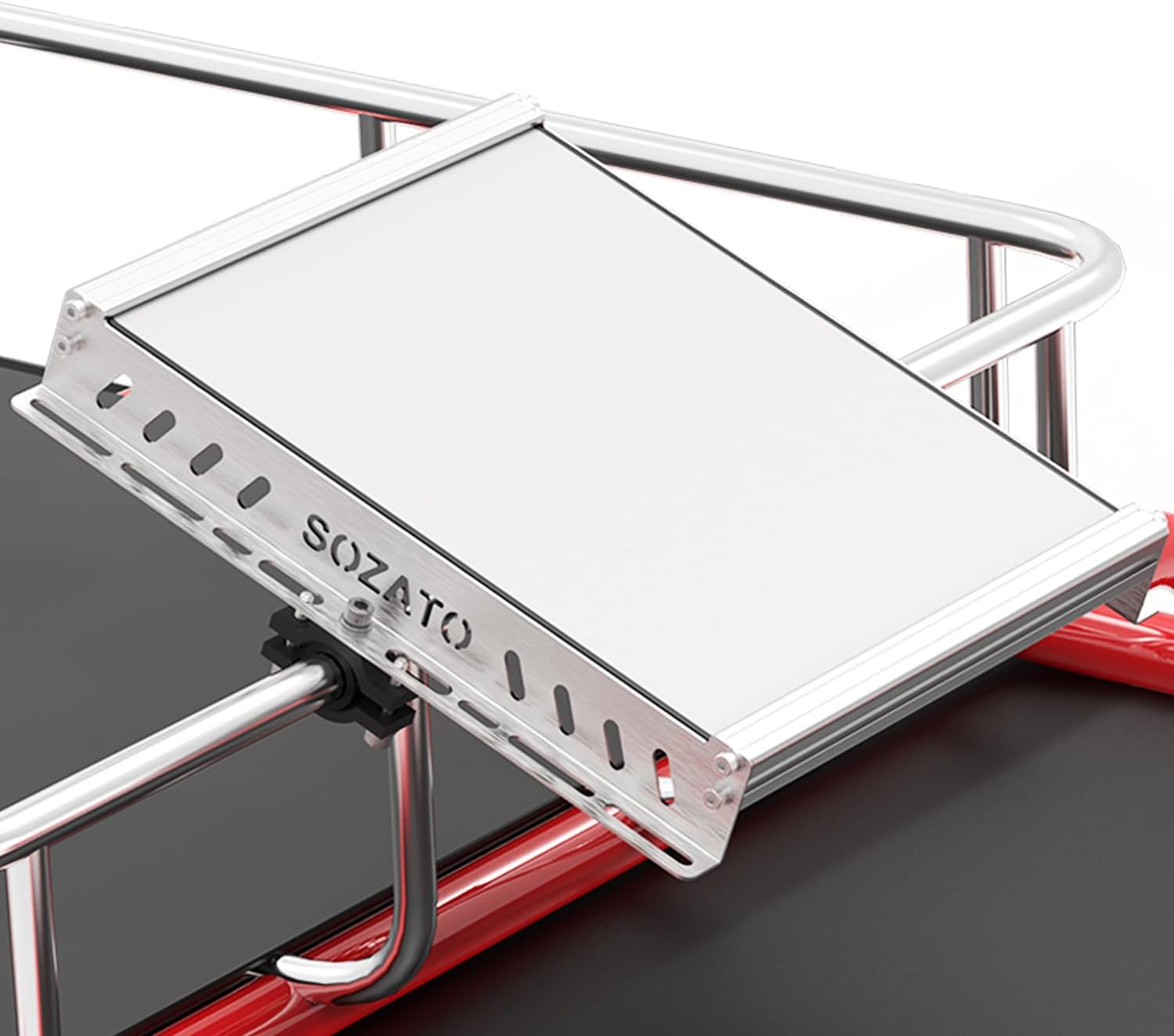
Why we like it: the most flexible mount here. It bolts to roof racks, aluminum rails, ladders, tubes or a wall, so it suits a permanent vehicle or cabin install. Worth knowing: it’s a metal frame around the Mini, so check the app after installing.

Why we like it: lifting the Mini off the ground often clears nearby obstructions like tents, cars and people, and this is light enough to backpack. Worth knowing: the tilt angle is fixed (it rotates but doesn’t tilt), and EXNOVFC says it’s for temporary setups, not permanent roof or RV mounting.
Best Starlink Mini Cases and Covers
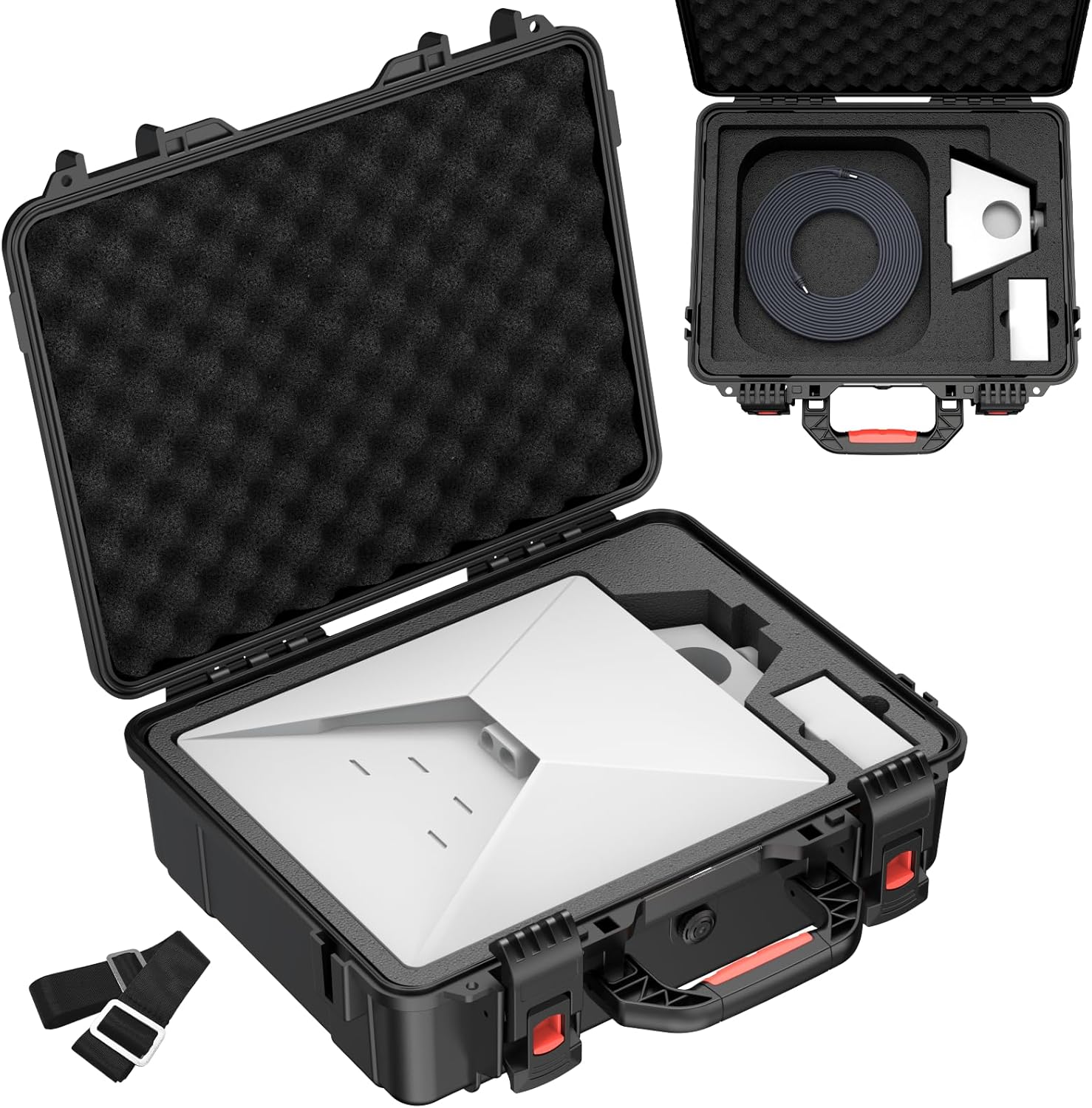
Why we like it: the most popular accessory in this guide, with thousands bought each month and a 4.8-star rating. It protects the whole kit in a car, boat or checked bag, and has a handle and shoulder strap. Worth knowing: MEKEET says to make sure the pressure valve is tightened for it to stay waterproof. For soft bags and backpacks, see Starlink backpacks and cases.

Why we like it: a light, cheap layer of protection against scrapes and small hail, and it reduces glare from a dashboard. Worth knowing: Starlink doesn’t make or test covers for the Mini, and this one sits over the dish face. After fitting it, run a speed test and watch the app for alerts. Don’t peel off the Mini’s white film to fit it (Starlink Help Center).
Router Mini Accessories

Why we like it: it gets the Router Mini off the table and up the wall, where WiFi spreads better, without drilling. Worth knowing: the Router Mini already comes with its own stand, screws and drywall anchors for wall mounting, so this is the tidy no-drill alternative. New to the Router Mini? See our Router Mini guide.
Which Starlink Mini Accessories Do You Need?
- Car, van or truck: a car adapter plus a roof mount (NovaKits or TAILBB), and a Roam plan for in-motion use. See Starlink for cars.
- Boat: the AUDEETO pole clamp on a rail, and the hard case for storage. See Starlink for boats.
- Camping and hiking: the tripod, a battery (RAVION or the base battery) and the hard case.
- Job sites: the M18 adapter if you already carry Milwaukee batteries.
- Home or cabin backup: the SOZATO mount for a permanent spot, and a Router Mini if the Mini’s WiFi doesn’t reach every room.
Still deciding on the dish itself? See Starlink Standard vs Mini or Starlink kits explained.
Frequently Asked Questions
What accessories come with the Starlink Mini?
The dish with built-in WiFi, a kickstand, a pipe adapter and flat mount, a 15 m DC power cable, and a power supply. Mounts beyond that, car power, batteries and cases are extra.
Can I power the Starlink Mini from a car cigarette lighter?
Yes, with a 12–24 V car adapter. Starlink sells its own Mini Car Adapter in select markets, and third-party adapters like the JOYROOM work too, though Starlink only guarantees its own power gear. Run it with the engine on to avoid draining the car battery.
What USB-C power bank works with the Starlink Mini?
One that delivers USB PD at 100 W (20 V / 5 A). Starlink says the Mini won’t work on 65 W or lower. You also need a USB-C to barrel-jack cable, such as Starlink’s 5 m Mini USB-C cable.
How long does a battery run a Starlink Mini?
Divide the battery’s watt-hours by the Mini’s draw, which is 20–40 W on average. A 99 Wh pack gives roughly 2.5–5 hours, and a 158 Wh pack roughly 4–8 hours, before conversion losses.
Can I use a magnetic mount while driving?
Starlink supports in-motion use on Roam and Priority plans up to 100 mph where authorized, and recommends its own mobility mount. Magnetic mounts are third-party; follow the maker’s limits, and check the app for GPS alerts, since Starlink cautions about metal around the dish.
Do covers or shields affect the Starlink Mini signal?
Starlink doesn’t publish guidance on third-party covers. Makers say theirs let the signal through. Test speeds after fitting one, and never remove the Mini’s white film.
Can I run the Starlink Mini on a Milwaukee battery?
Yes, with an adapter like the QKJCE M18. Milwaukee M18 batteries are 18 V, inside the Mini’s 12–48 V range. Choose one with low-voltage cutoff to protect the battery.
Does Starlink sell official Mini accessories?
Yes: mobility, wall, pivot and roof rack mounts, a car adapter (select markets), a USB-C cable, a 15 m Ethernet cable and the Router Mini, all in the Starlink shop.
Starlink facts from the Starlink Help Center and Mini spec sheet, checked September 30, 2026. Product details, ratings and prices are from each Amazon listing on the same date; runtimes and strength ratings are the makers’ claims. We haven’t tested these products ourselves. As an Amazon Associate we earn from qualifying purchases; see our disclaimer. Not affiliated with SpaceX or Starlink.

