
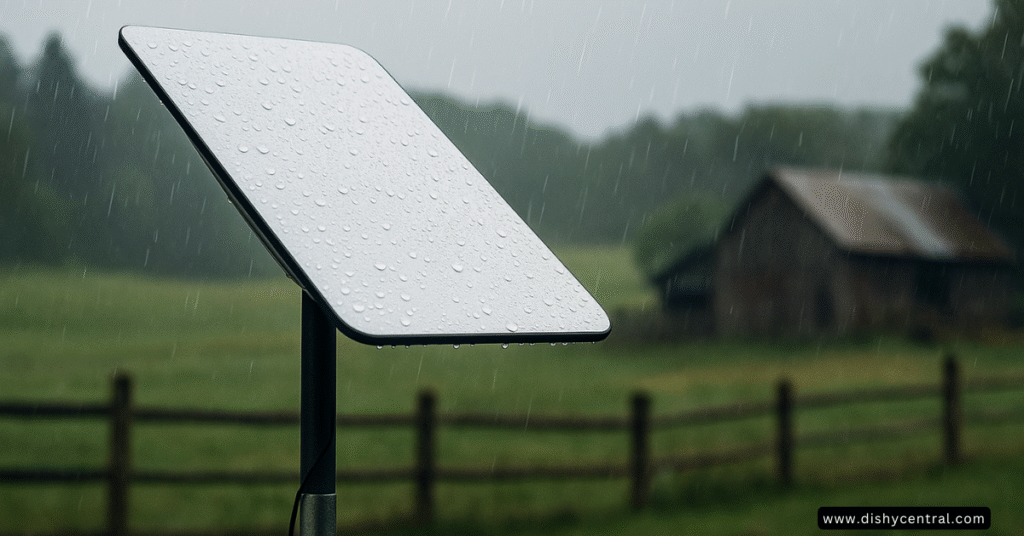
Yes, Starlink dishes can get wet. They are built to live outdoors in rain and snow. The Standard and Mini dishes are rated IP67, meaning dust-tight and able to survive temporary immersion. The Performance dish goes further, to IP68/IP69K. The exception is the WiFi router, which Starlink designs for indoor use. Rain can still slow or briefly interrupt the connection, but it won’t harm a correctly installed dish.
Bottom line: leave the dish outside and uncovered; Starlink says it is hydrophobic and “strongly” recommends against protective covers. Keep the router indoors, make sure every cable is fully seated, and on the Mini keep its DC cable and Starlink plug installed, because a standard Ethernet cable removes its IP67 rating (Starlink Help Center; Mini spec sheet).
Understanding IP Ratings: What Those Numbers Actually Mean
An IP (Ingress Protection) rating, defined in the IEC 60529 standard, uses two digits. The first is protection against dust, the second against water:
- 5: dust-protected (some dust can get in, but not enough to affect operation)
- 6 (first digit): dust-tight
- 4 (second digit): protected against water splashing from any direction
- 6 (second digit): protected against powerful water jets
- 7: protected against temporary immersion (up to 1 m for 30 minutes)
- 8 / 9K: protected against longer immersion (8) and high-pressure, high-temperature washdown (9K)
Starlink Component-by-Component Weather Resistance
Ratings come from Starlink’s specification sheets and Help Center. Not every part of the kit has the same protection:
| Equipment | Rating and what it means |
|---|---|
| Standard dish (spec) | IP67: rain, snow and hosing are fine; survives brief immersion |
| Mini dish (spec) | IP67, only with its DC power cable and Starlink plug or cable installed |
| Performance dish, Gen 3 (spec) | IP68 unplugged, IP69K with cables installed: built for pressure washing and harsh sites |
| Performance Gen 1 and Gen 2 (Help Center) | IP56: water jets and dust, not immersion |
| Standard and Mini power supplies | IP66: strong water jets, not immersion |
| Router 3 (spec) | IP56, “configured for indoor use”: keep it inside |
| Other Starlink WiFi routers (Help Center) | IP54, designed for indoor use: splash-resistant only |
The Starlink Dish: Built to Stay Outside
The Standard dish carries an IP67 Type 4 rating, and Starlink says the dish is hydrophobic (it sheds water). Starlink’s Help Center describes it as designed and tested for snow, hail, sleet, heavy rain and extreme heat, though not for hurricanes, tornadoes or earthquakes (Starlink Help Center).
Can the Starlink Mini Get Wet?
Yes. The Mini is also rated IP67 Type 4, but Starlink’s spec sheet adds a condition: the rating applies with the DC power cable and the Starlink plug (or Starlink’s own Mini cable) installed. It also says the Mini is “no longer rated IP67 with a standard RJ45 cable” (Mini spec sheet). In practice, keep the port plug in when you aren’t using Ethernet, and keep third-party power banks and USB-C adapters out of the rain unless they are rated for it.
Power Supply: Built to Withstand the Elements
The Standard and Mini power supplies are rated IP66 Type 4 (strong water jets), and the Performance kit’s Advanced Power Supply is IP68 with its cables installed or plugged (Standard, Mini, Performance spec sheets). Starlink says to make sure the Starlink cable is fully seated before exposing the equipment to the elements, so the seal works (Starlink Help Center).
WiFi Router: Designed for Indoor Use
Router 3 “meets IP56 (water resistant)” but is “configured for indoor use”, and Starlink’s Help Center says its WiFi router is designed for indoor use (Standard spec sheet; Starlink Help Center). Starlink also lists the router and power supply as rated to operate indoors between 0 and 30°C (32–86°F) (Starlink Help Center). If you need WiFi outdoors, extend it with mesh or an outdoor-rated access point rather than putting the router outside.
Cables and Mounts: Where Water Gets In
The connectors are where water usually finds a way in, which is why Starlink stresses fully seated cables. Two simple habits help: leave a drip loop (a dip in the cable before it reaches a connector or wall entry, so water drips off instead of running along it), and seal wall penetrations with a proper cable-entry kit.
How Starlink Performs in Different Weather Conditions
Getting wet won’t damage the dish, but weather can still affect the connection. Here is what Starlink says about each condition (Starlink Help Center):
Rain: From Sprinkles to Downpours
Starlink says the dish is designed to operate in wet conditions. In extreme cases, heavy rain or wind may lead to slower speeds or a rare outage. See does Starlink work in bad weather for more.
Snow and Ice: Built-In Heating
Starlink dishes melt snow. Starlink rates the Standard at up to 40 mm (1.5 in) an hour, the Mini at up to 25 mm (1 in) an hour, and the Performance dish at up to 85 mm (3.5 in) an hour (Standard, Mini, Performance spec sheets). In heavier snowfall snow can build up faster than it melts, so Starlink recommends a location where snow won’t pile up around the dish.
Wind: The Importance of Secure Mounting
The Standard and Mini are rated operational in winds of 96 km/h+ (60 mph+). The Performance dish is rated to survive 280 km/h+ (174 mph+) (Standard, Mini, Performance spec sheets). A solid mount matters more than the dish itself; a kickstand on open ground is the weak point in a storm.
Temperature Extremes: Cold Snaps to Heat Waves
The Standard and Mini dishes are rated to operate from −30°C to 50°C (−22°F to 122°F); the Performance dish from −40°C to 60°C (−40°F to 140°F). Starlink notes that performance may dip slightly in extreme heat or cold (Starlink Help Center).
Thunderstorms and Lightning: Protection with Precautions
Starlink says it meets the U.S. National Electrical Code (NEC) grounding requirements. If you live in an area with lightning, it suggests an external lightning protection system (lightning rod, ground rod or surge protector). During storms, or when leaving it unused for a long time, Starlink recommends unplugging it from the wall and disconnecting the Starlink cable (Starlink Help Center).
Should You Cover Your Starlink?
No. Starlink “strongly” recommends against adding protective covers, because they degrade performance, including the dish’s ability to melt snow (Starlink Help Center). The same goes for putting the dish under a porch roof or behind glass; see can Starlink work through a window.
Best Practices for Weatherproof Installation
Choose and Install the Right Mount
A stable, secure mount is your best defense against weather. Choose a spot with a clear view of the sky where snow, leaves and debris won’t collect, and make sure the mount can handle your local winds.
Proper Cable Seating and Protection
Check every connector is fully seated before the first rain. Add a drip loop where the cable enters the building, and run the cable through conduit or a routing kit where it could be damaged.
Keep Your Router Indoors
Place the router in a central, dry spot inside. For coverage outside, add mesh nodes or an outdoor-rated access point instead of moving the router outdoors.
Seasonal Checks and Maintenance
Starlink needs little maintenance. After storms, check that nothing has landed on or around the dish, that snow isn’t piling up nearby, and that cables and connectors are still seated and undamaged.
Technical Specifications Summary
- Dish rating: Standard IP67; Mini IP67 with its cable and plug installed; Performance IP68 unplugged, IP69K with cables
- Operating temperature: Standard and Mini −30°C to 50°C (−22°F to 122°F); Performance −40°C to 60°C (−40°F to 140°F)
- Wind: Standard and Mini operational to 96 km/h+ (60 mph+); Performance survivable to 280 km/h+ (174 mph+)
- Snow melt: Standard up to 40 mm (1.5 in) an hour; Mini up to 25 mm (1 in); Performance up to 85 mm (3.5 in)
- Power supply: Standard and Mini IP66; Performance Advanced Power Supply IP68 with cables installed
Sources: Starlink Standard, Mini and Performance specification sheets, checked September 24, 2026.
Final Thoughts: Reliable Connectivity in Any Weather
So, is Starlink waterproof? The dishes are: IP67 for Standard and Mini, and more for Performance. The router isn’t meant for outdoor use. Install the dish in the open, don’t cover it, keep the connectors sealed and the router inside, and rain and snow become a speed question rather than a damage question.
Frequently Asked Questions
Can Starlink get wet in the rain?
Yes. The dish is built to sit outside in rain and is rated IP67 (Standard and Mini). Heavy rain can slow the connection or rarely interrupt it, but it won’t damage a properly installed dish.
Can the Starlink router get wet?
It shouldn’t. Starlink designs its routers for indoor use. They are splash-resistant (IP54, or IP56 for Router 3), but not meant to be left in the rain.
Can Starlink be submerged?
The Standard and Mini dishes are rated to survive temporary immersion (IP67: up to 1 m for 30 minutes), and the Performance dish is IP68. That is a safety margin, not a way to use it; the dish needs a clear view of the sky to work.
Is the Starlink power supply waterproof?
The Standard and Mini power supplies are rated IP66, so they handle strong water jets but not immersion. Keep the plug end and wall outlet dry.
Should I put a cover over my Starlink?
No. Starlink strongly recommends against protective covers because they reduce performance and stop snow melt from working properly.
What Does the Warranty Cover?
Starlink’s limited warranty covers defects in normal use; terms vary by country. Follow Starlink’s installation guidance, especially fully seated cables, so a weather problem can’t be blamed on the install.
Mobile and Portable Installations
The same ratings apply on RVs and boats. On the Mini, keep the port plug in and cables sealed while you travel, and secure the mount against vibration. Salt spray is harder on connectors than rain, so check them often. See Starlink for boats.
How Starlink Compares to Other Satellite Internet
All satellite dishes live outdoors, but Starlink’s flat phased-array dish has no feed arm to knock out of alignment and melts its own snow. For speed and latency differences, see HughesNet vs Starlink.

